Uptime Ping v1.0.0
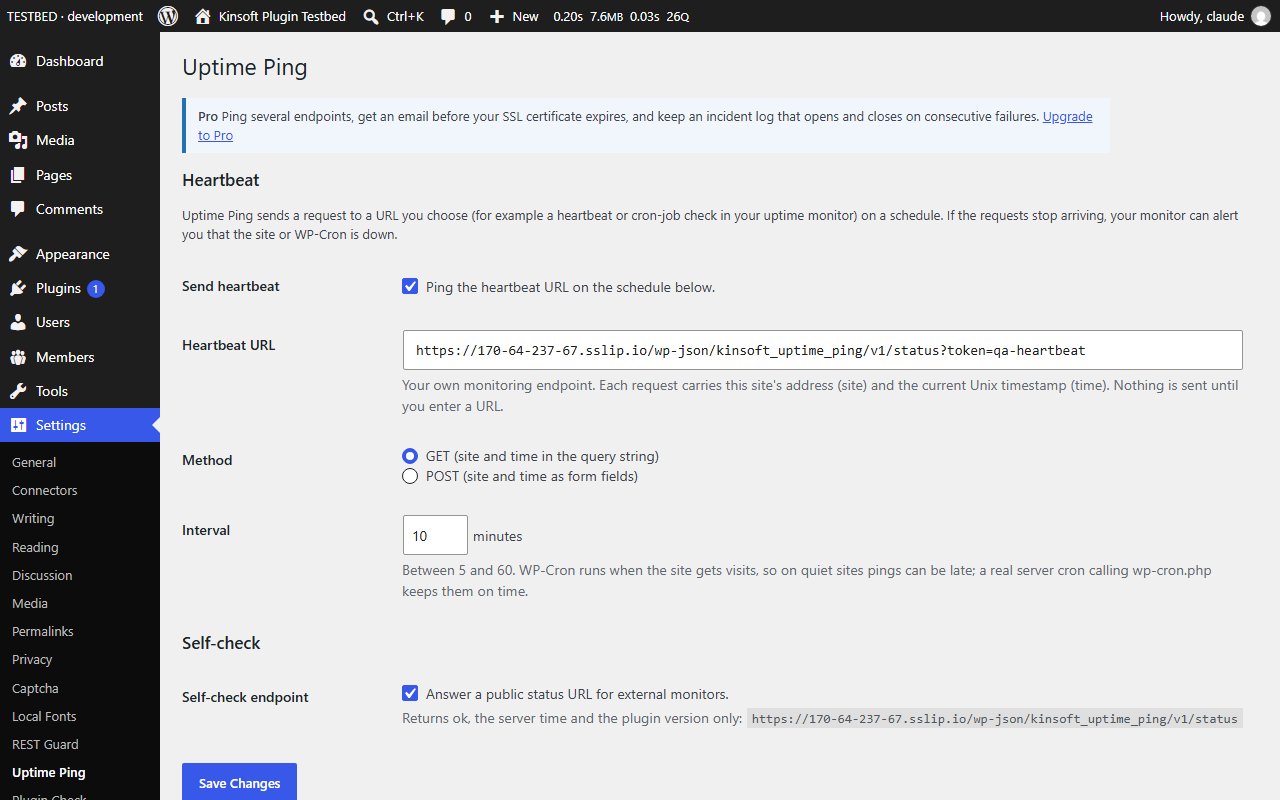
Outbound heartbeat to your own monitoring URL on a schedule, a public self-check endpoint and a status shortcode. Pro adds SSL expiry checks.
No credit card for the trial. Pro from $2.42/mo, billed annually. 14-day money-back guarantee.
Most uptime monitors only check that your home page loads. Uptime Ping works the other way round as well: your site checks in with your monitor on a schedule, so you also find out when WP-Cron stops running, PHP falls over or the server loses its outbound connection.
Uptime Ping Pro
$29 per year, single site
Everything in Free, plus:
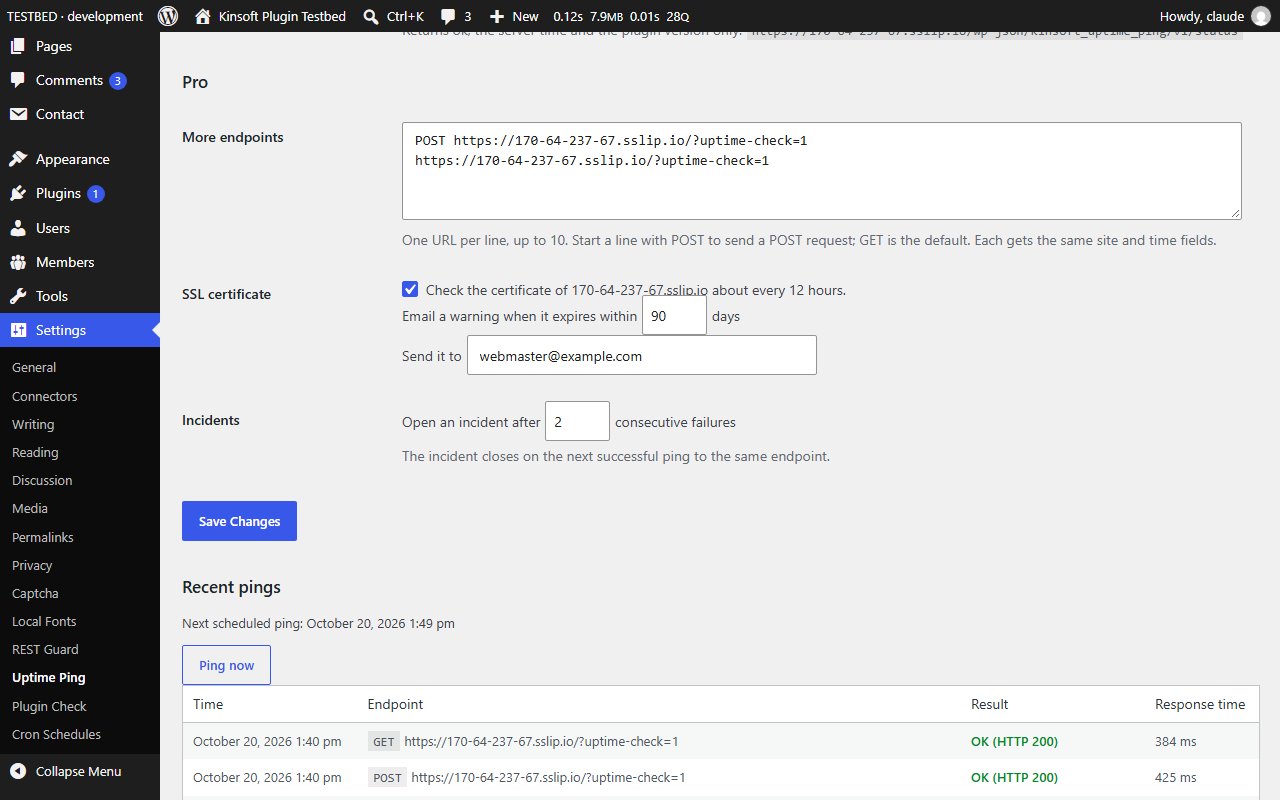
- **Multiple endpoints.** Ping up to 10 more URLs, each with its own GET or POST, for example a second monitor or your own status board.
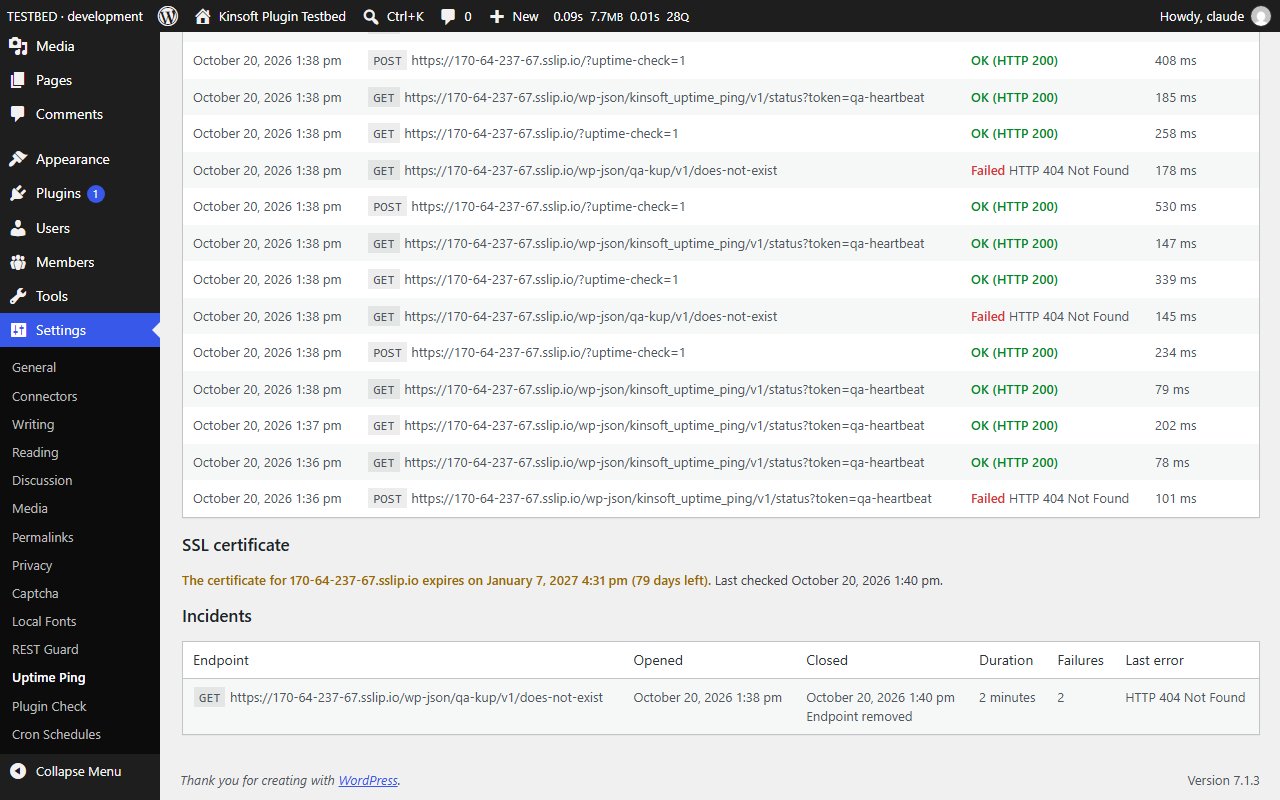
- **SSL certificate expiry check.** About every 12 hours Uptime Ping reads the certificate your site's domain serves and emails you when it will expire within the number of days you choose (14 by default), or has already expired. One email per certificate, to the address you choose.
- **Incident log.** When an endpoint fails a number of times in a row (3 by default) an incident opens; the next successful ping closes it. The log shows when each incident started and ended, how long it lasted, how many pings failed and the last error.
Screenshots
![The `[kinsoft_status]` shortcode on a page](/images/plugins/kinsoft-uptime-ping-2.jpg)
Pro pricing
One licence covers updates and support for a year. Pick the number of sites you run it on.
Checkout and licensing run on Freemius, our merchant of record. 14-day money-back guarantee. Prices in USD; any applicable tax is shown at checkout.
Requirements
WordPress 6.4 or newer (tested up to 7.1), PHP 7.4 or newer. Works with the block editor and the classic editor.
Installation
- Download the free version or start the Pro trial above. Freemius emails you the zip and, for Pro, your licence key.
- In WordPress go to Plugins → Add New → Upload Plugin, choose the zip and activate it.
- Pro: paste the licence key when the plugin asks for it, or later under the plugin's Account screen.
Stuck? Open a support ticket and include your WordPress and PHP versions.