SMTP Mailer v1.0.0
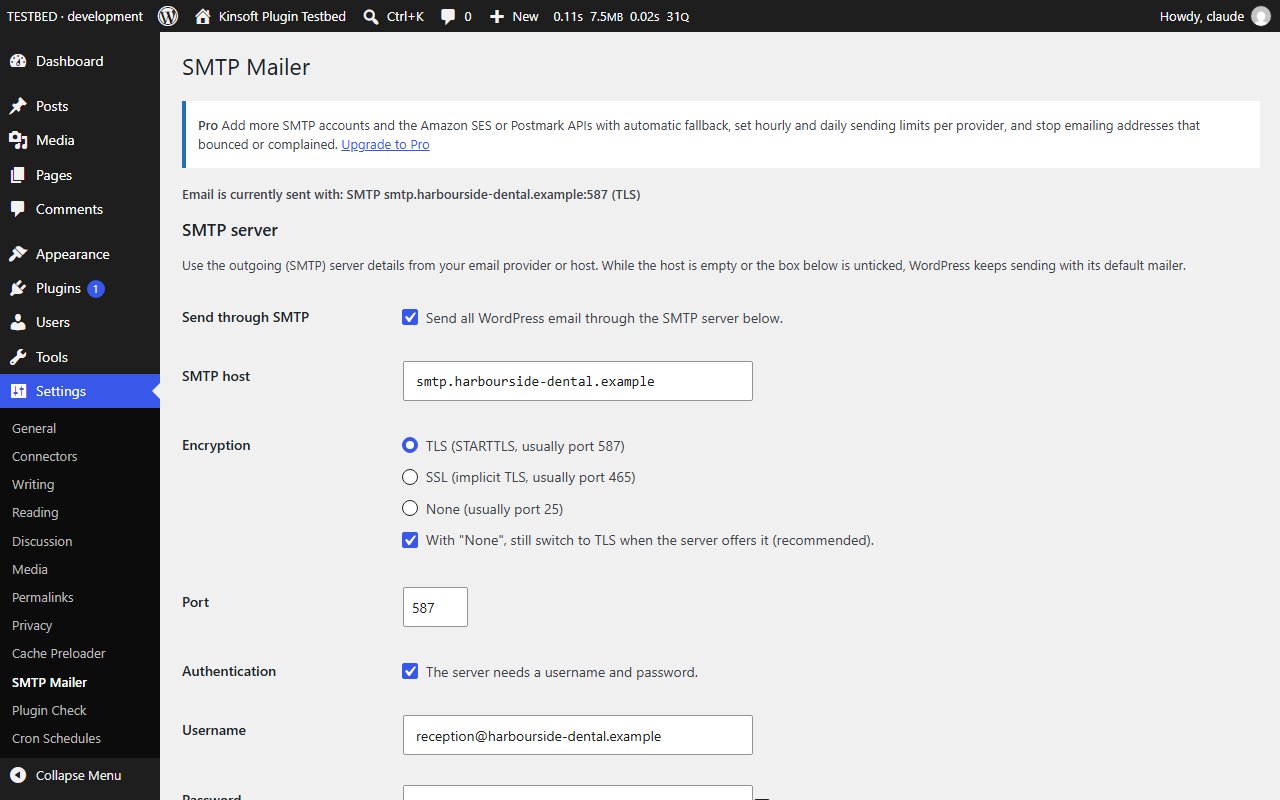
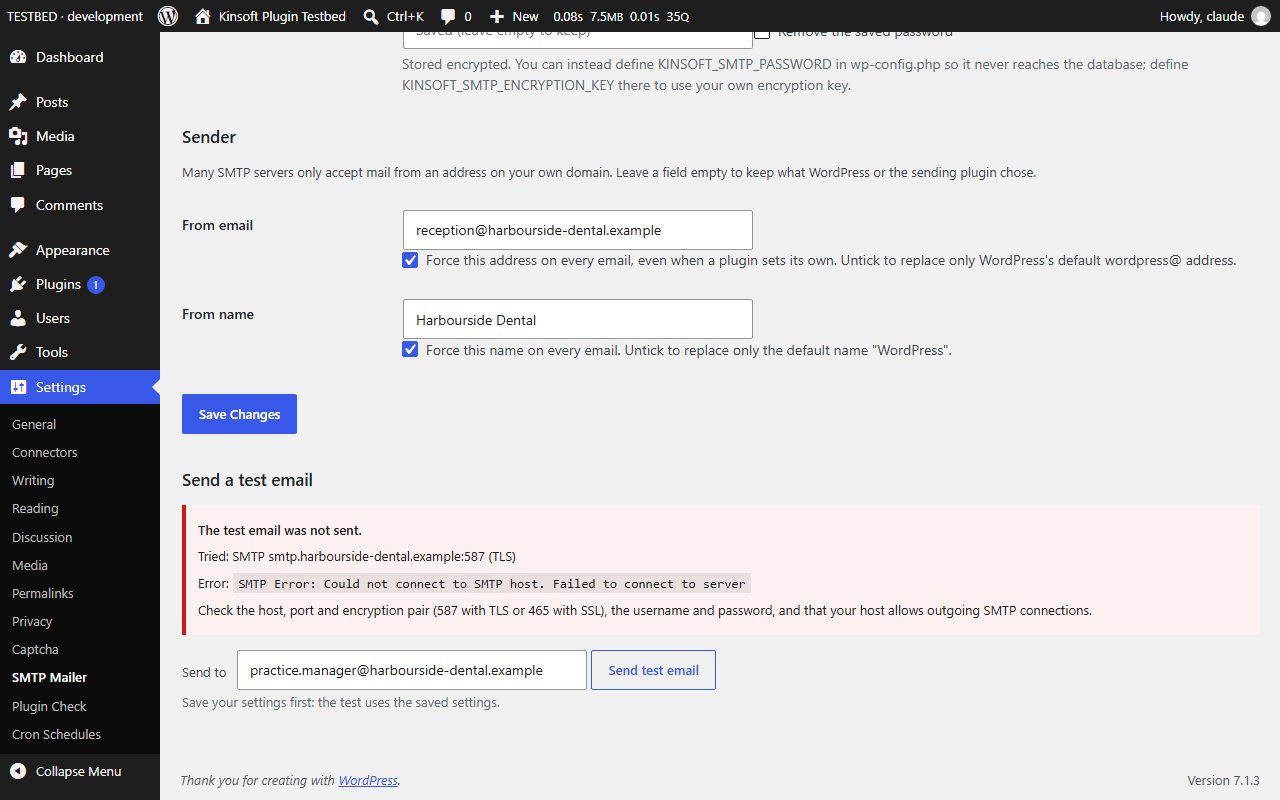
Send WordPress email through your SMTP server with a forced From address and a test button. Pro adds API senders, fallback and bounce handling.
No credit card for the trial. Pro from $3.25/mo, billed annually. 14-day money-back guarantee.
By default WordPress hands email to the web server's mail() function, and a lot of it ends up in spam or never arrives. SMTP Mailer sends every WordPress email (password resets, order emails, contact forms) through a proper mail server instead: your email host, Microsoft 365, Google Workspace, Amazon SES SMTP, Brevo or any other SMTP service.
SMTP Mailer Pro
$39 per year, single site
Everything in Free, plus:
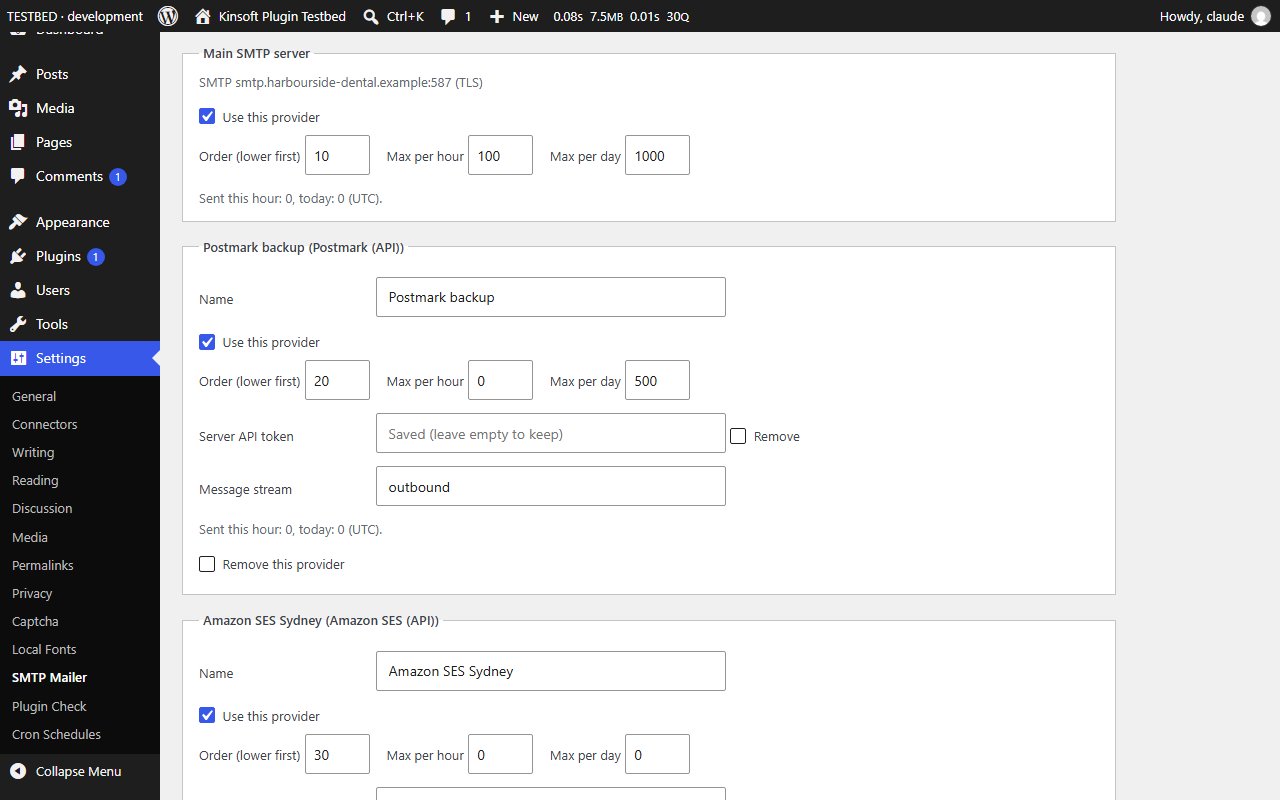
- **Several providers with automatic fallback.** Add more SMTP accounts and the Amazon SES or Postmark email APIs, put them in order, and if one fails the next one sends the email.
- **Sending limits per provider.** Set an hourly and a daily maximum for each provider (handy for plans with sending quotas); when one is reached, the next provider takes over.
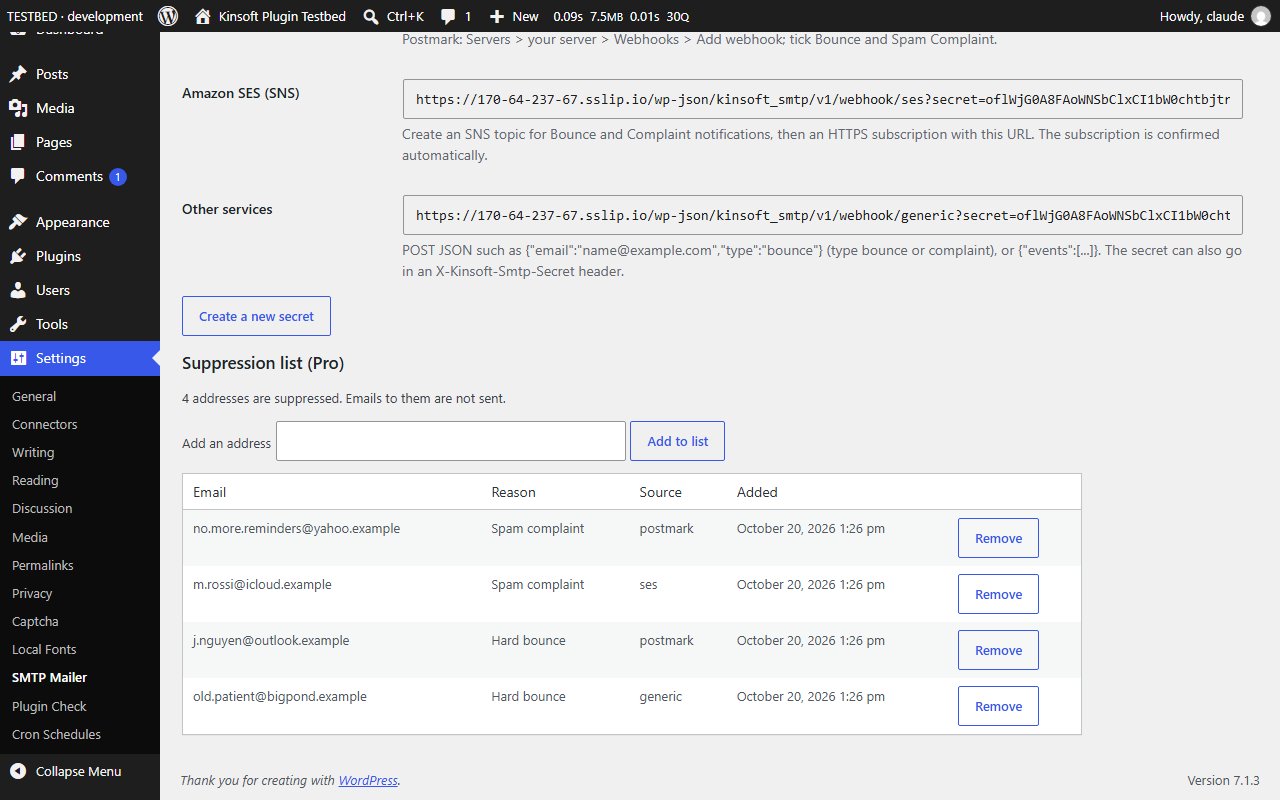
- **Bounce and complaint handling.** A webhook address receives hard bounces and spam complaints from Postmark, Amazon SES (through SNS) or any other service, and adds those addresses to a suppression list. SMTP Mailer then stops emailing them, which protects your sender reputation. You can add and remove addresses by hand too.
- API keys and tokens are stored encrypted, like the SMTP password.
Screenshots
Pro pricing
One licence covers updates and support for a year. Pick the number of sites you run it on.
Checkout and licensing run on Freemius, our merchant of record. 14-day money-back guarantee. Prices in USD; any applicable tax is shown at checkout.
Requirements
WordPress 6.4 or newer (tested up to 7.1), PHP 7.4 or newer. Works with the block editor and the classic editor.
Installation
- Download the free version or start the Pro trial above. Freemius emails you the zip and, for Pro, your licence key.
- In WordPress go to Plugins → Add New → Upload Plugin, choose the zip and activate it.
- Pro: paste the licence key when the plugin asks for it, or later under the plugin's Account screen.
Stuck? Open a support ticket and include your WordPress and PHP versions.