Shortcode Finder v1.0.0
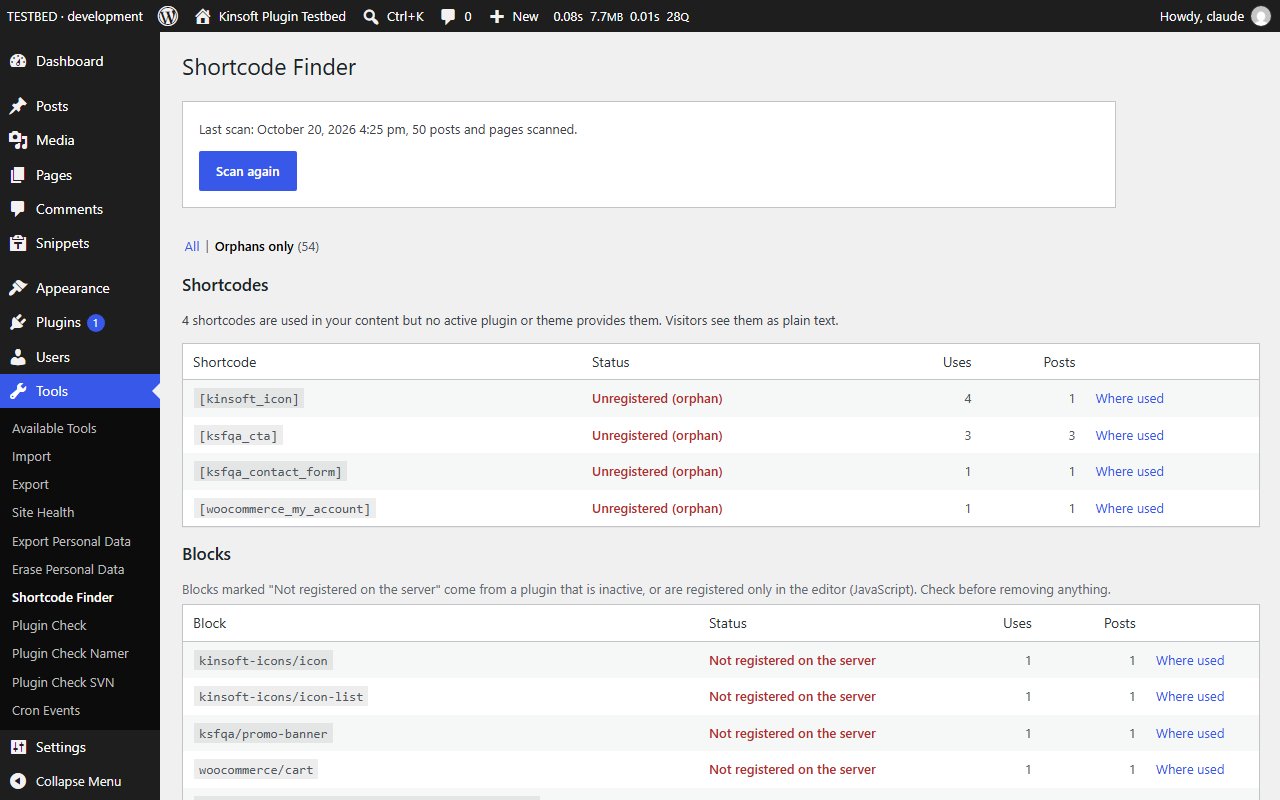
Find where shortcodes and blocks are used, spot orphaned shortcodes, and clean them up safely with previewed bulk replace.
No credit card for the trial. Pro from $2.42/mo, billed annually. 14-day money-back guarantee.
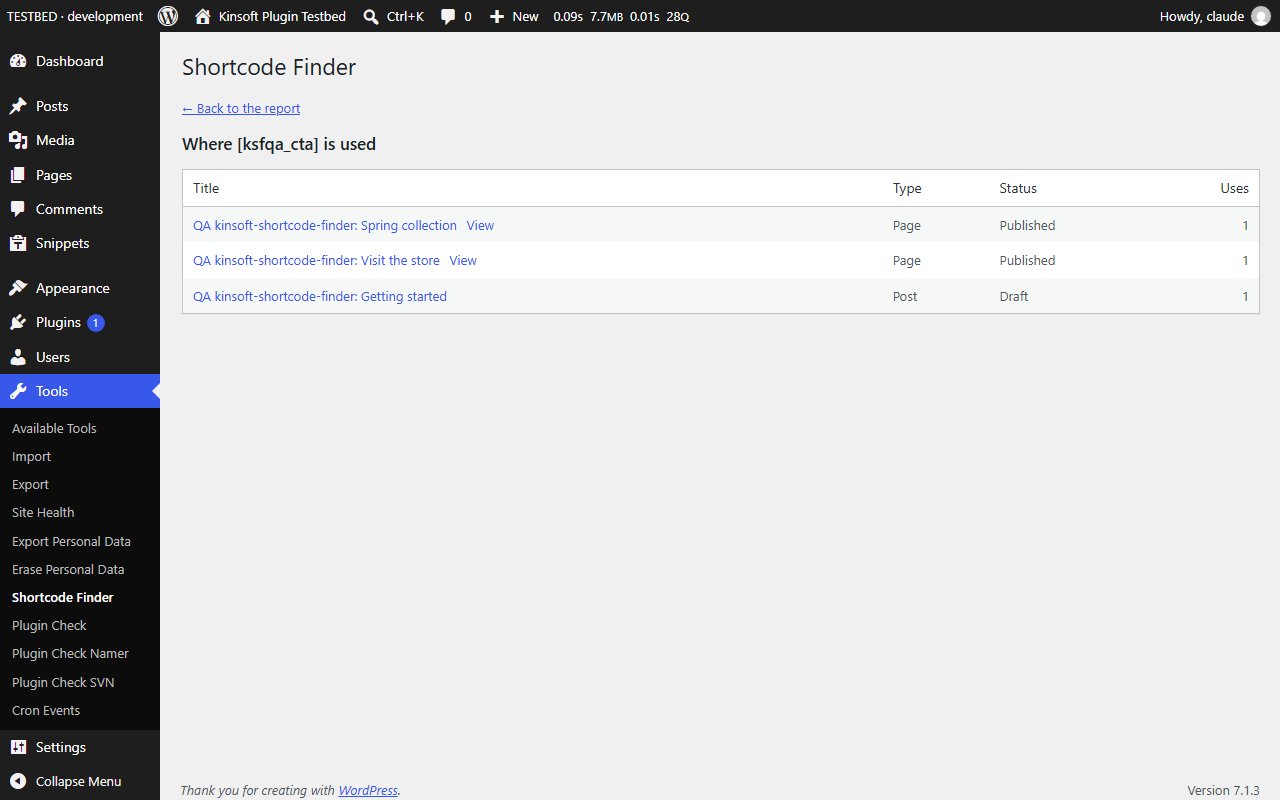
Switched slider, form or page-builder plugin and now some pages show `[old_slider id="3"]` as plain text? About to deactivate a plugin and want to know which pages use its shortcodes? Shortcode Finder shows you every shortcode and block on your site and exactly where each one is used.
Shortcode Finder Pro
$29 per year, single site
Everything in Free, plus:
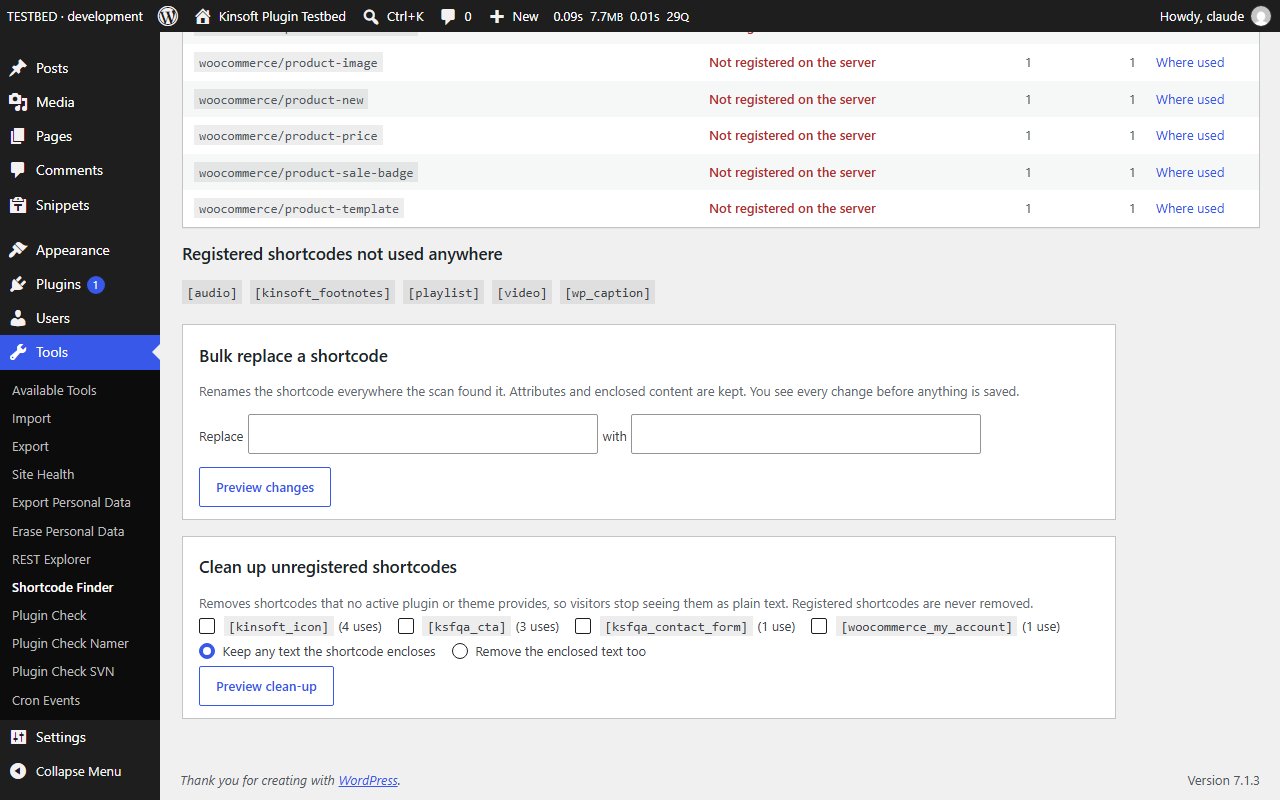
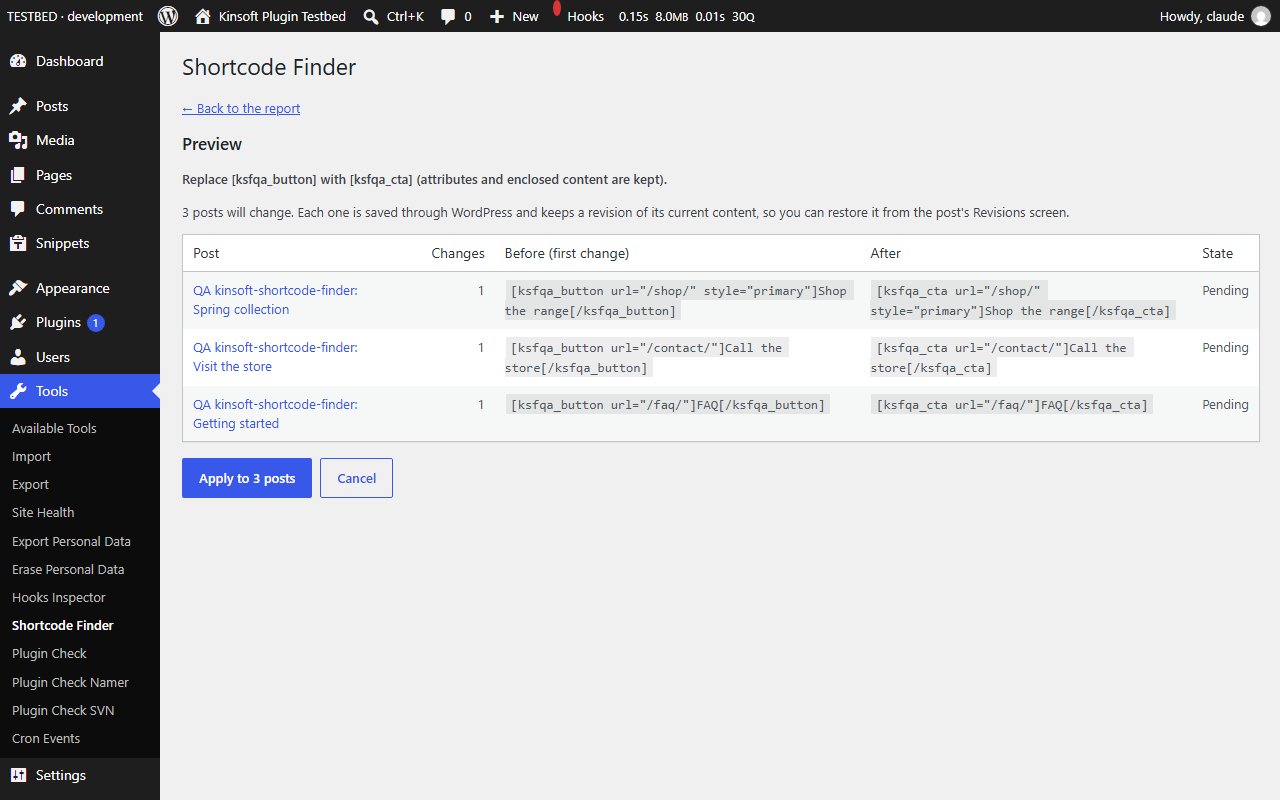
- **Bulk replace** – rename a shortcode across every post in one go, for example `[old_button]` to `[new_button]`. Attributes and enclosed text are kept.
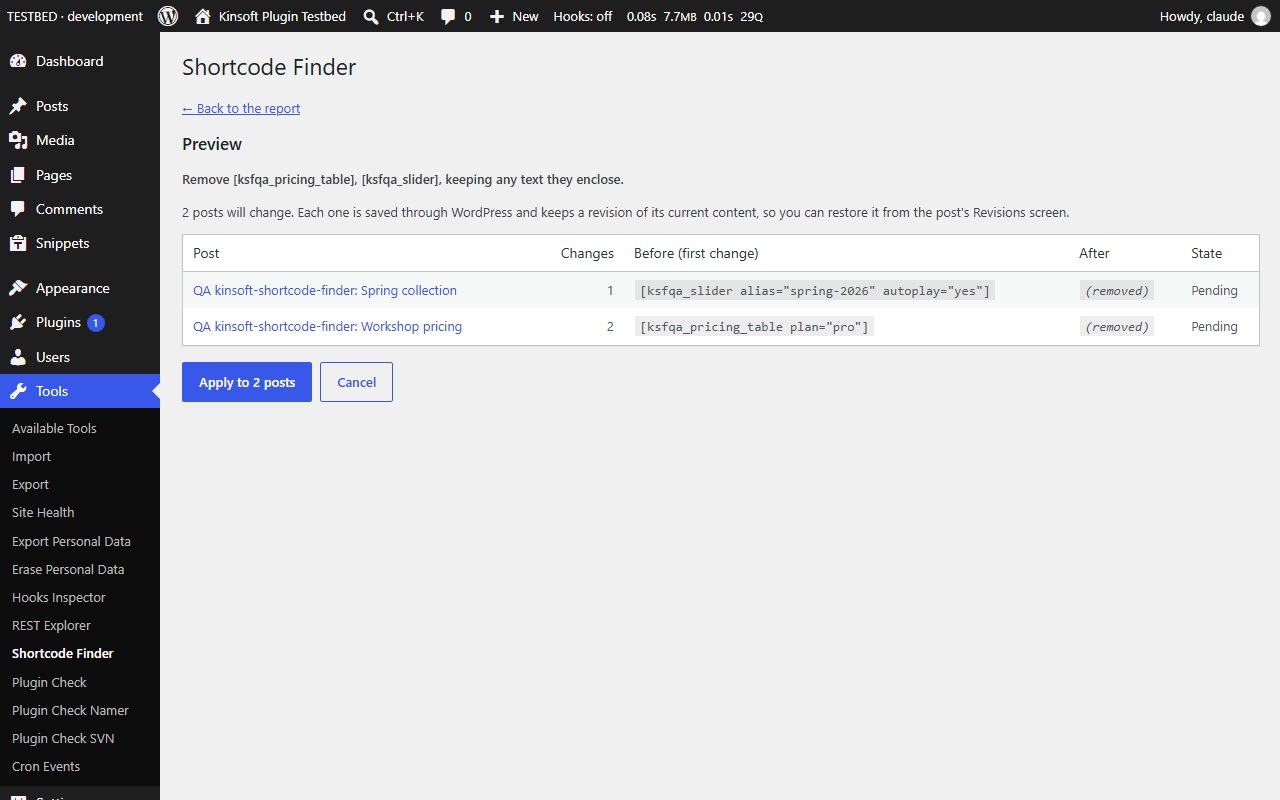
- **Unregistered-shortcode clean-up** – remove shortcodes whose plugin has gone, keeping the text they wrap or removing it too. Shortcodes that are still registered are never removed.
- **Preview before anything changes** – see every affected post with a before and after sample, then apply. Every post is saved the normal WordPress way and a revision of its previous content is kept, so any change can be restored from the post's Revisions screen.
- **Scheduled report** – a daily or weekly email to the site admin with the shortcodes that need attention and links to the posts that use them.
Screenshots
Pro pricing
One licence covers updates and support for a year. Pick the number of sites you run it on.
Checkout and licensing run on Freemius, our merchant of record. 14-day money-back guarantee. Prices in USD; any applicable tax is shown at checkout.
Requirements
WordPress 6.4 or newer (tested up to 7.1), PHP 7.4 or newer. Works with the block editor and the classic editor.
Installation
- Download the free version or start the Pro trial above. Freemius emails you the zip and, for Pro, your licence key.
- In WordPress go to Plugins → Add New → Upload Plugin, choose the zip and activate it.
- Pro: paste the licence key when the plugin asks for it, or later under the plugin's Account screen.
Stuck? Open a support ticket and include your WordPress and PHP versions.