REST Guard v1.0.0
Require login for the REST API, keep chosen routes public and hide user data. Pro adds per-route rules, API keys and a request log.
No credit card for the trial. Pro from $3.25/mo, billed annually. 14-day money-back guarantee.
WordPress answers REST API requests from anyone. That is how the block editor works, but it also means visitors and bots can list your users, read author names and probe every route a plugin registers. REST Guard closes the API to visitors who are not logged in, while keeping the few routes your site really needs open.
Free
$0 forever
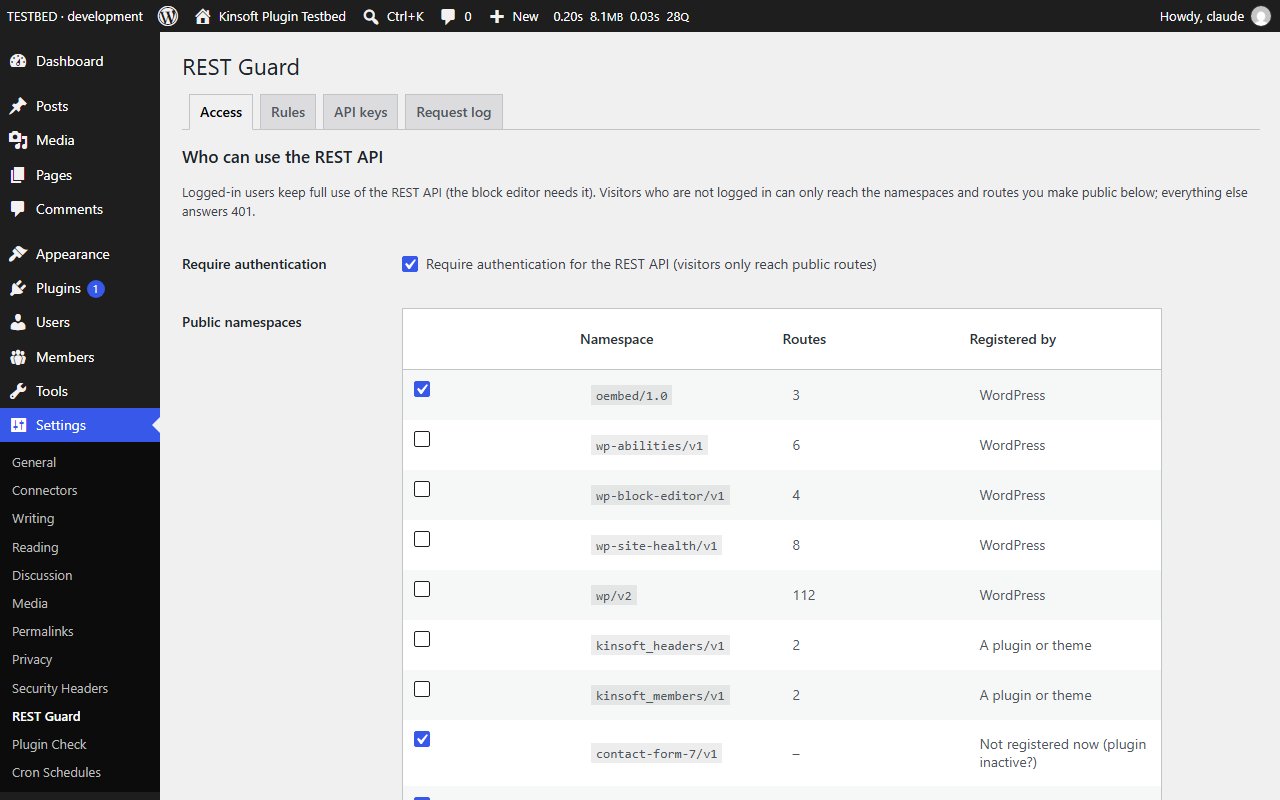
- **Require authentication** for the REST API. Logged-in users (and the block editor) keep working as before; visitors get a 401 answer.
- **Public allow-list.** oEmbed (link previews), Contact Form 7 and the WooCommerce Store API (cart and checkout blocks) stay public by default.
- **Detected namespaces.** The settings page lists every namespace registered on your site, with its route count and whether WordPress or a plugin registered it. Tick a namespace to keep it public.
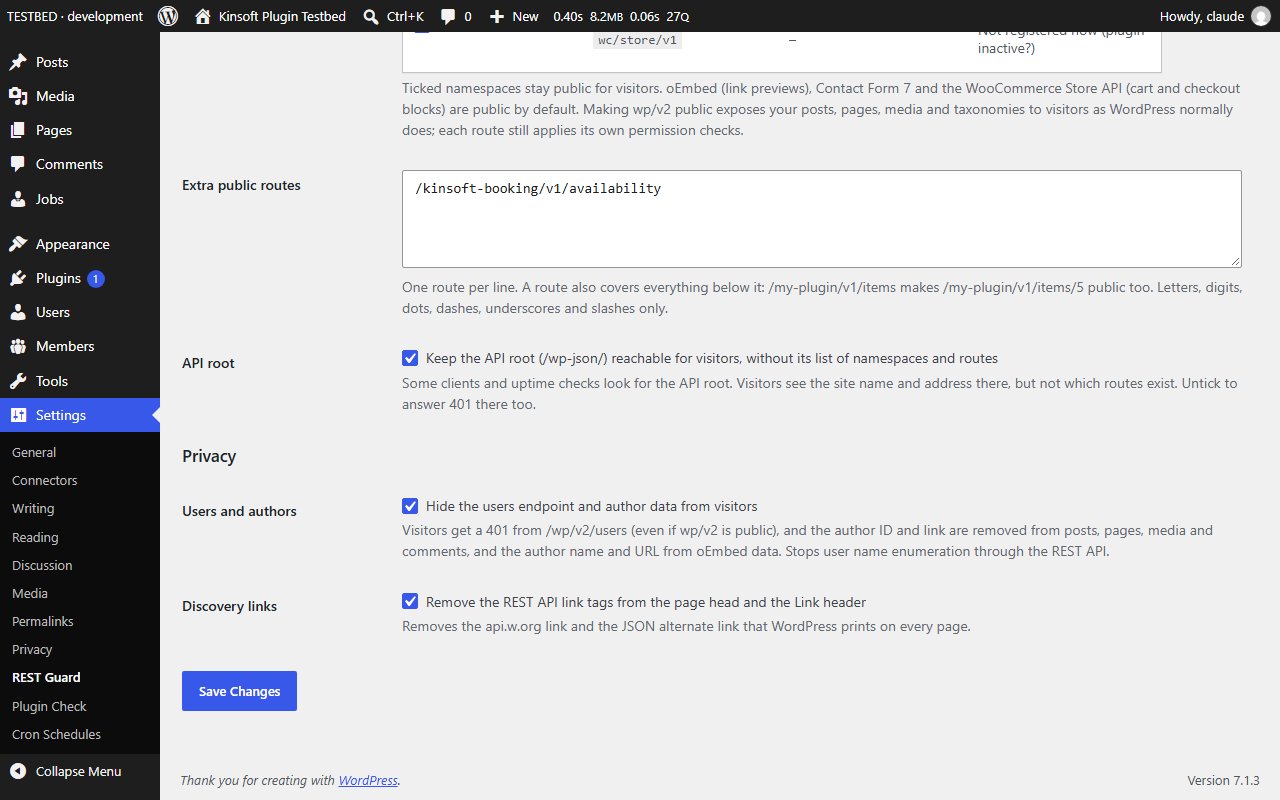
- **Extra public routes**, one per line, for a single route a plugin needs open.
- The **API root** (/wp-json/) stays reachable for discovery and uptime checks, but no longer lists your namespaces and routes to visitors (or untick it to close it too).
- **Hide users and authors** from visitors: /wp/v2/users answers 401 even when the rest of wp/v2 is public, and author IDs, author links and the oEmbed author name and URL are removed from responses.
- **Remove the REST API link tags** from the page head and the Link header.
- Works for requests over HTTP and for internal and embedded REST requests.
- Settings under Settings > REST Guard.
REST Guard Pro
$39 per year, single site
Everything in Free, plus:
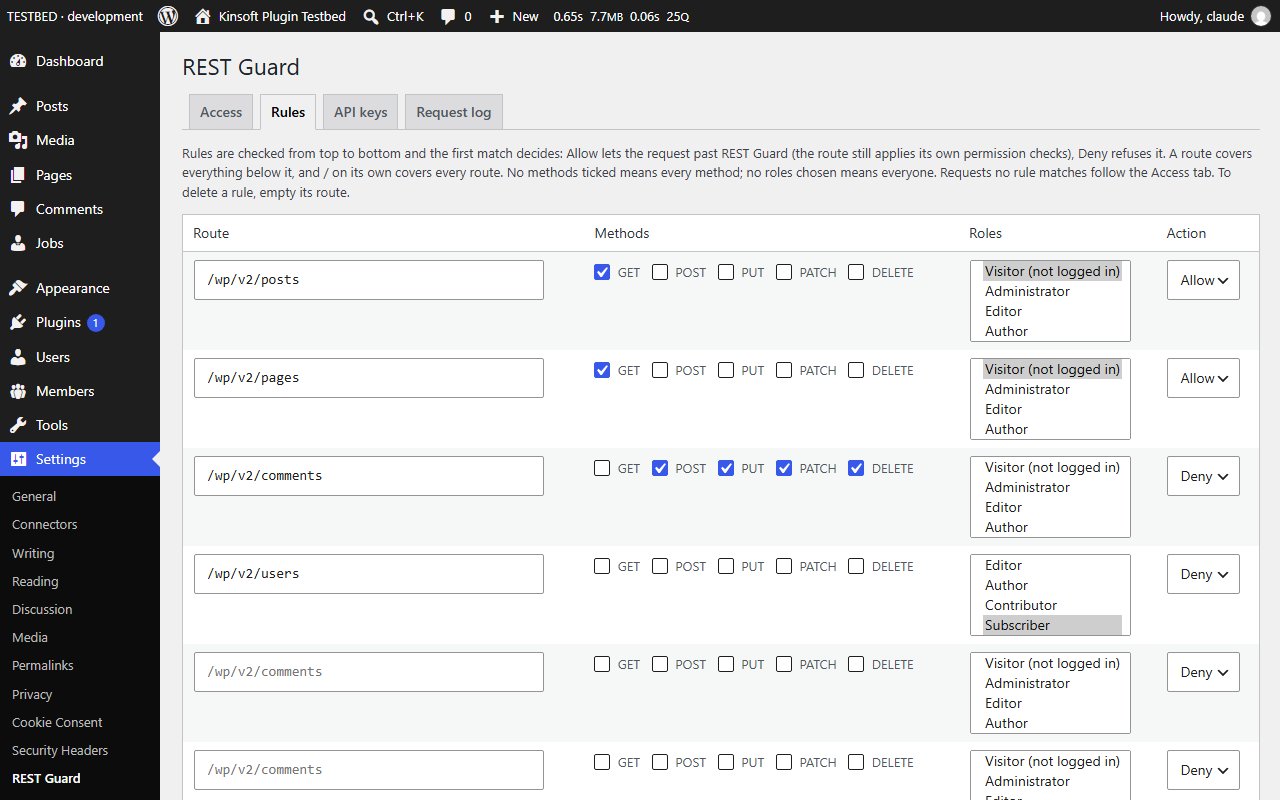
- **Per-route rules:** allow or deny a route for chosen HTTP methods and roles (including "visitor"); the first matching rule wins.
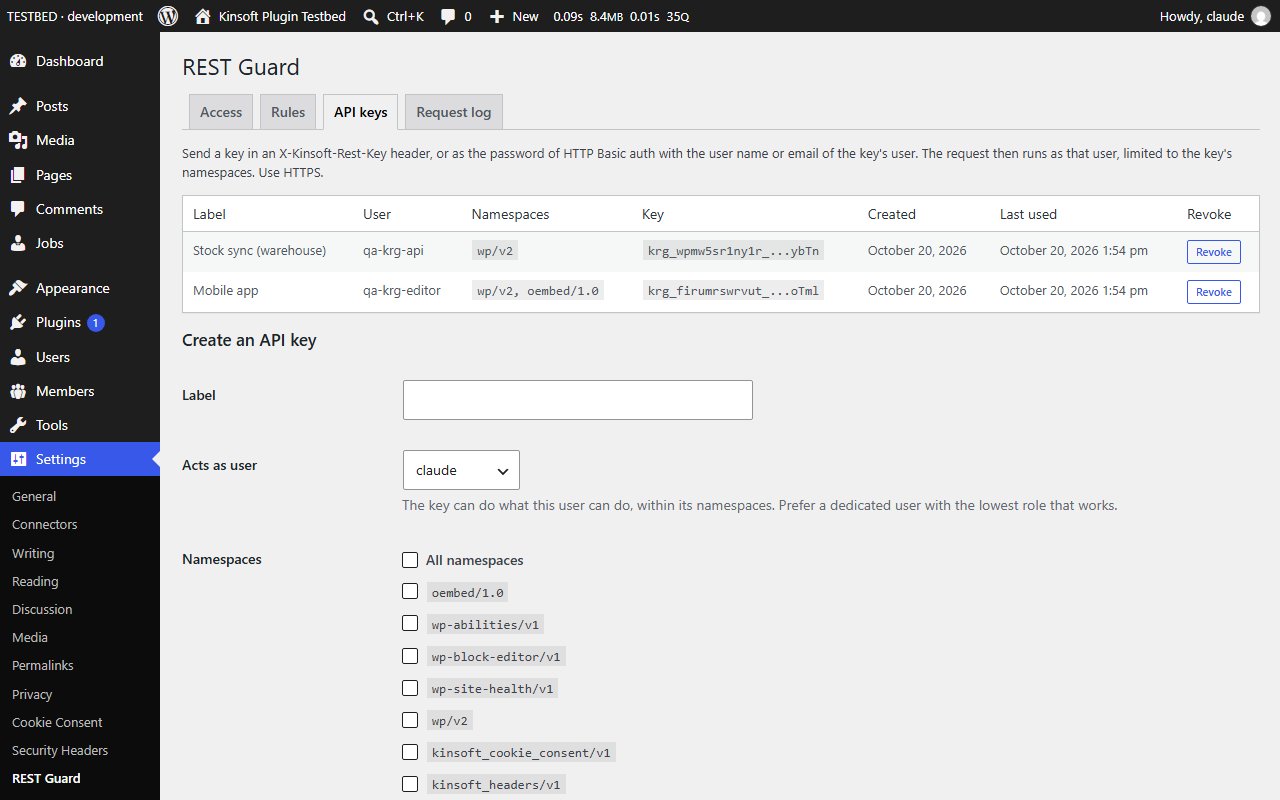
- **API keys** for server-to-server access: each key belongs to a user, is stored only as a hash, is sent as an X-Kinsoft-Rest-Key header or as the password of HTTP Basic auth, and is limited to the namespaces you choose.
- **Request log** of denied requests and keyed requests (route, method, status, reason, user, key, IP), with CSV export and automatic clean-up after 30 days.
Screenshots
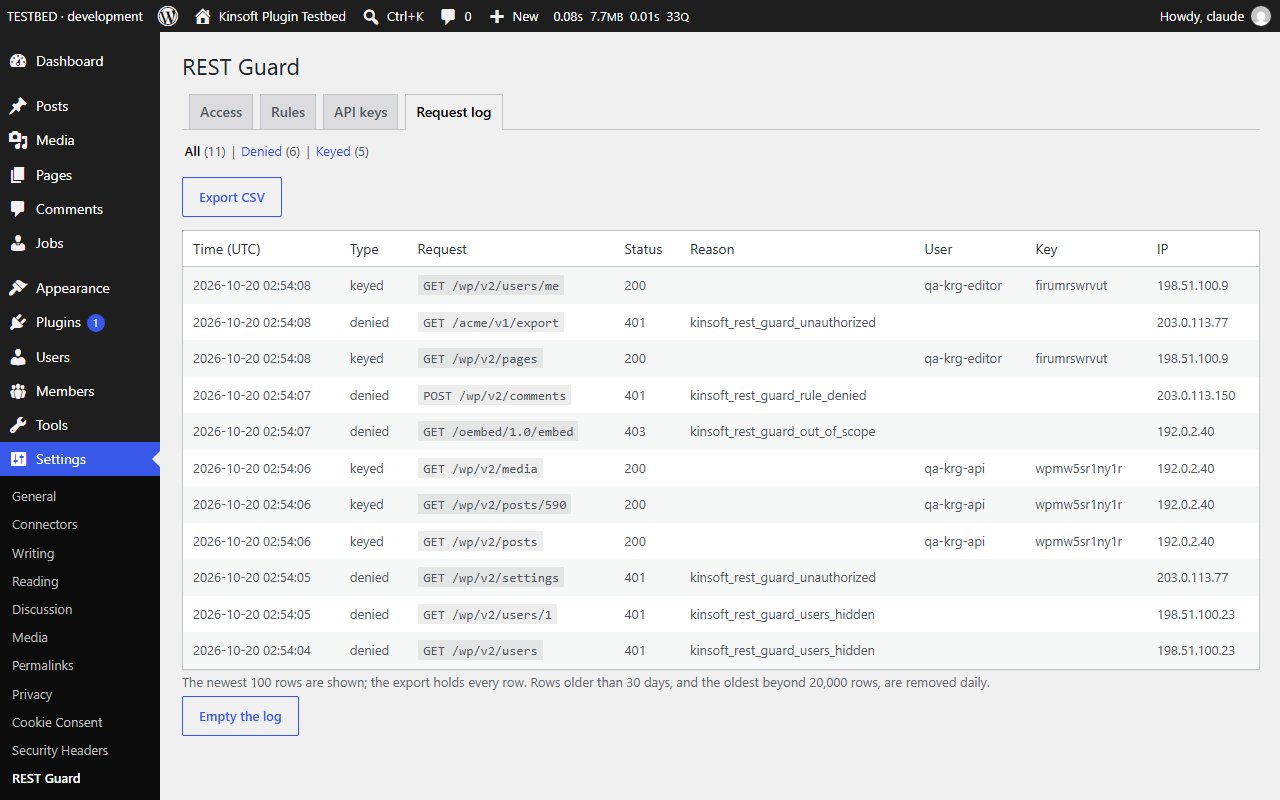
Pro pricing
One licence covers updates and support for a year. Pick the number of sites you run it on.
Checkout and licensing run on Freemius, our merchant of record. 14-day money-back guarantee. Prices in USD; any applicable tax is shown at checkout.
Requirements
WordPress 6.4 or newer (tested up to 7.1), PHP 7.4 or newer. Works with the block editor and the classic editor.
Installation
- Download the free version or start the Pro trial above. Freemius emails you the zip and, for Pro, your licence key.
- In WordPress go to Plugins → Add New → Upload Plugin, choose the zip and activate it.
- Pro: paste the licence key when the plugin asks for it, or later under the plugin's Account screen.
Stuck? Open a support ticket and include your WordPress and PHP versions.