Pricing Tables v1.0.0
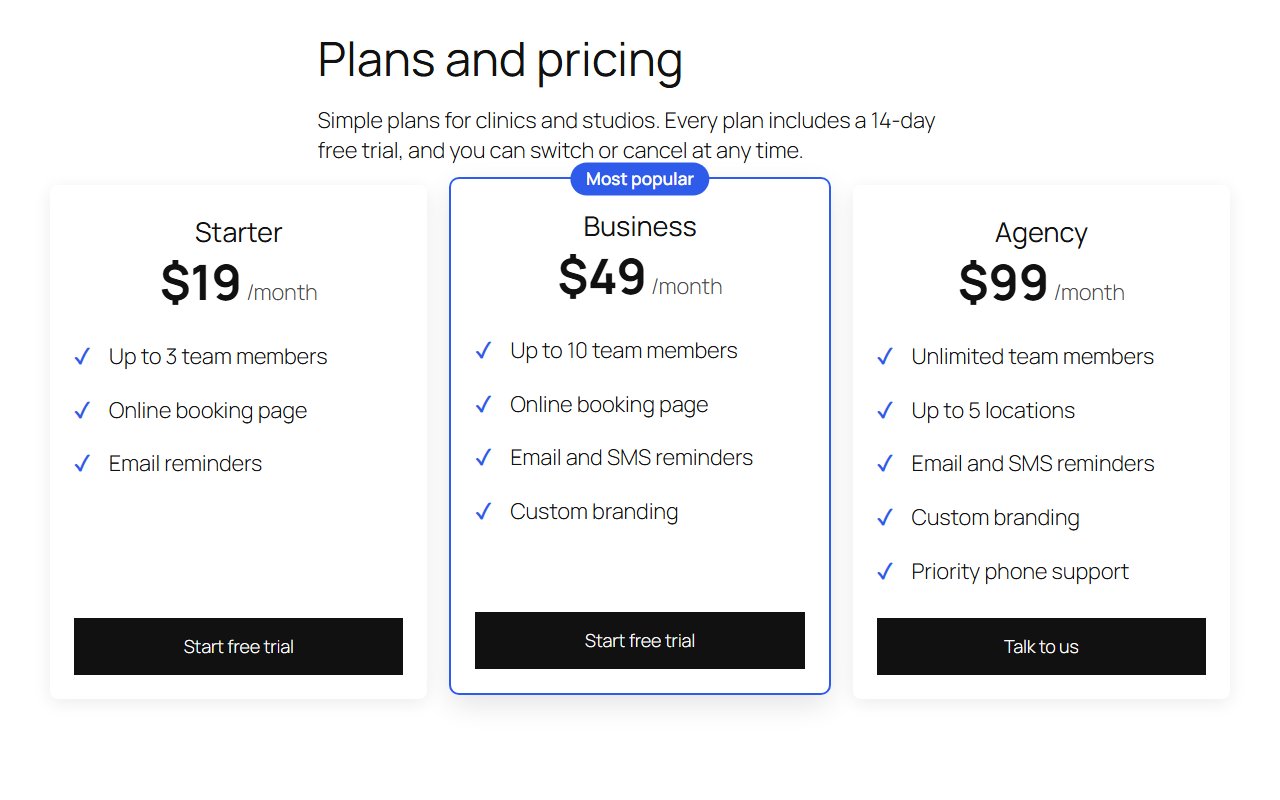
Pricing table block with plan columns, feature lists and highlighted plans. Pro adds a monthly/annual toggle, checkout presets and comparison rows.
No credit card for the trial. Pro from $2.42/mo, billed annually. 14-day money-back guarantee.
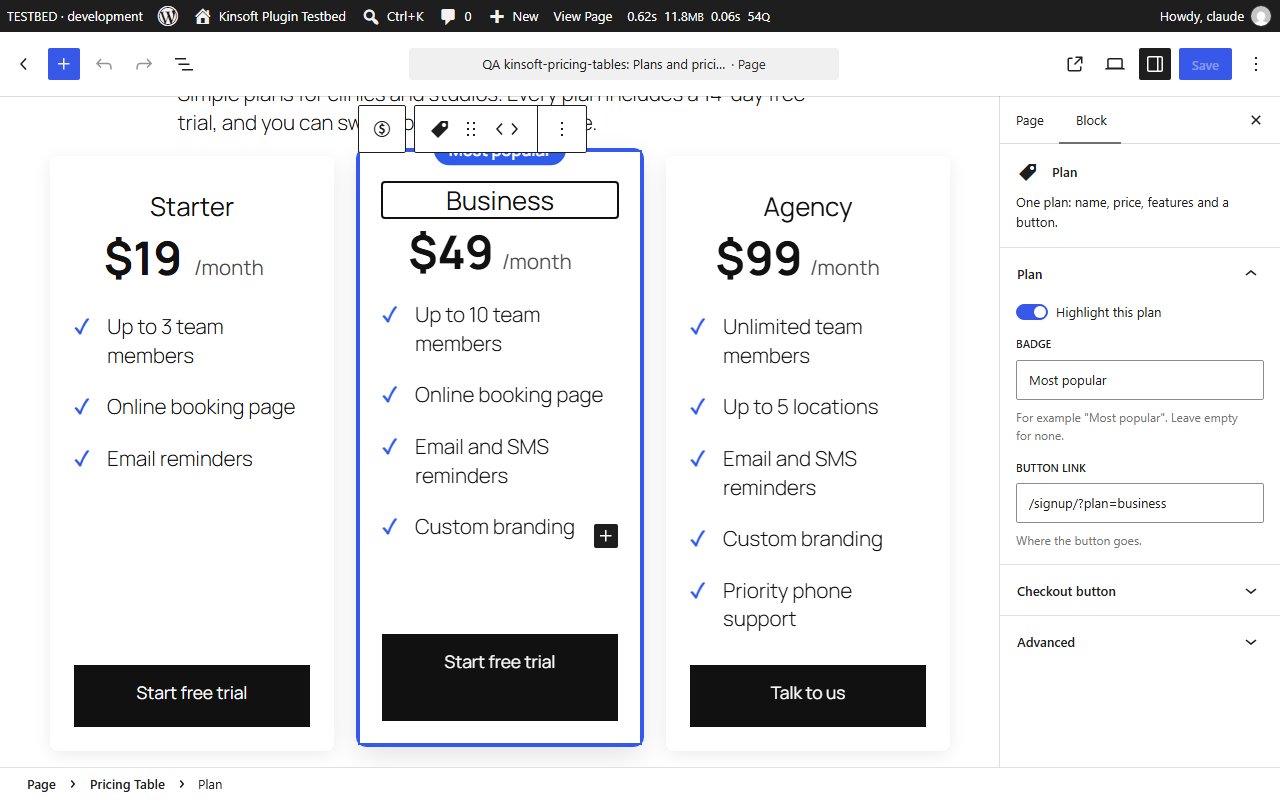
Show your plans side by side, right in the block editor. Add a Pricing Table block, type your prices, list what each plan includes, highlight the one you want people to pick, and you are done. No page builder, no shortcodes.
Pricing Tables Pro
$29 per year, single site
Everything in Free, plus:
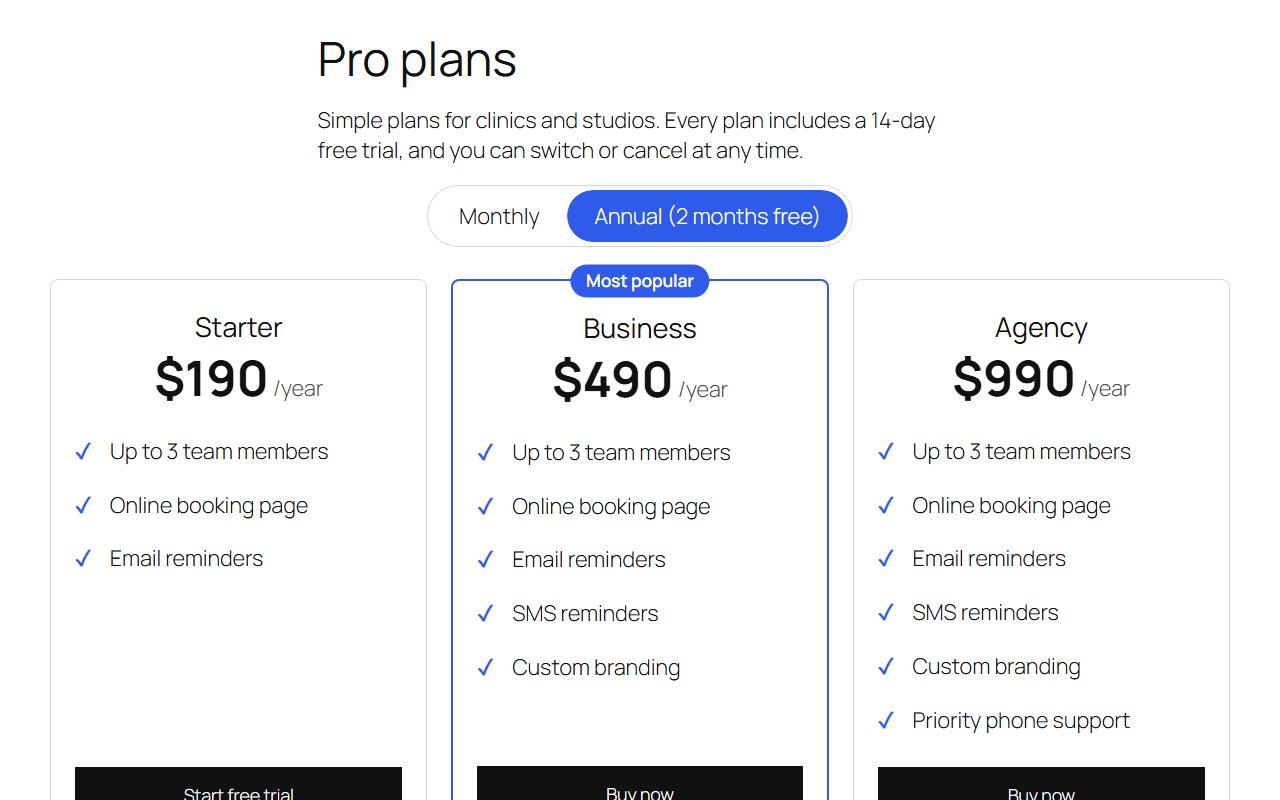
- **Monthly/annual toggle.** Give every plan a second, annual price. Visitors flip between monthly and annual prices instantly, without the page reloading, and each button switches to the right link. Choose which prices show first and rename the two labels.
- **Checkout buttons in one step.** Pick a preset instead of pasting links: **WooCommerce** (enter a product ID and the button adds it to the cart, or goes straight to checkout) or **Freemius** (enter your plugin ID and plan ID and the button opens that checkout, on the monthly or annual cycle the visitor picked).
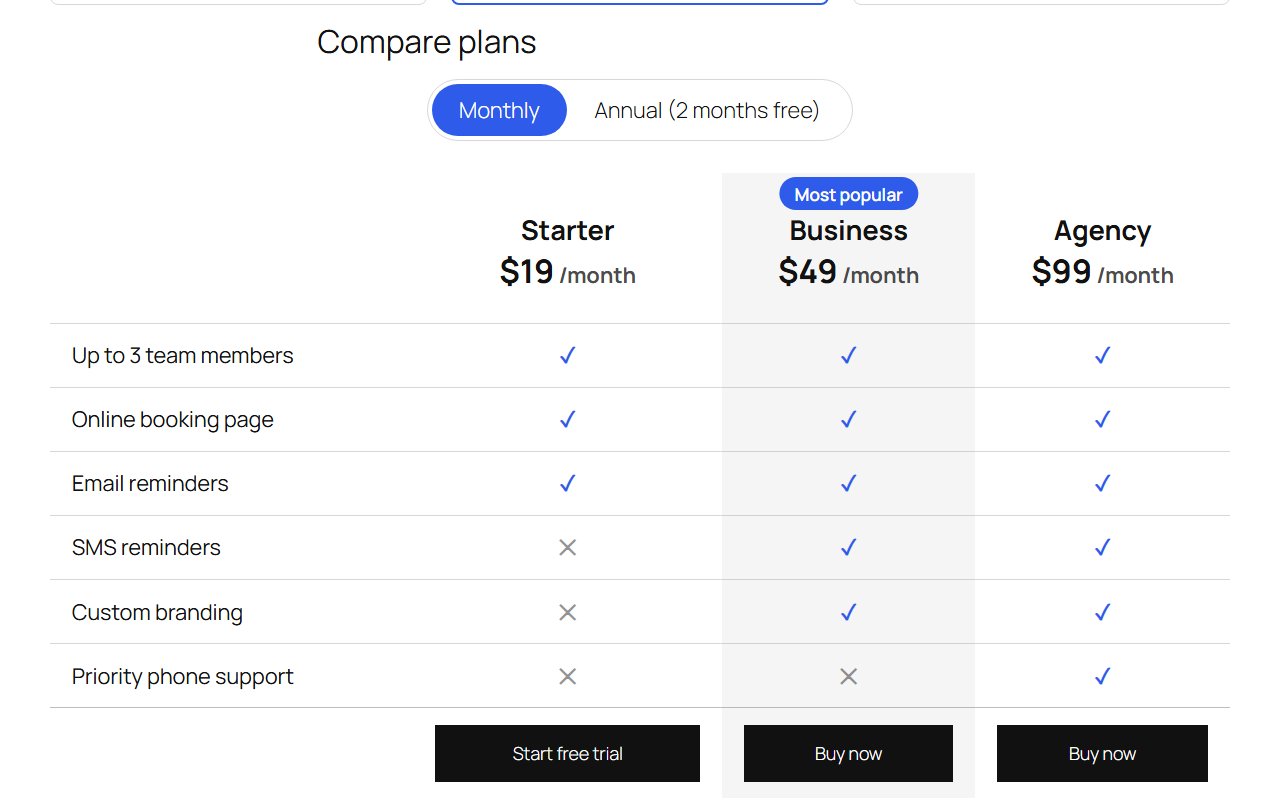
- **Comparison table.** Switch any pricing table to a comparison layout: features become rows, plans become columns, and each cell shows a tick or a cross. Built from the same feature lists, so there is nothing extra to maintain.
Screenshots
Pro pricing
One licence covers updates and support for a year. Pick the number of sites you run it on.
Checkout and licensing run on Freemius, our merchant of record. 14-day money-back guarantee. Prices in USD; any applicable tax is shown at checkout.
Requirements
WordPress 6.4 or newer (tested up to 7.1), PHP 7.4 or newer. Works with the block editor and the classic editor.
Installation
- Download the free version or start the Pro trial above. Freemius emails you the zip and, for Pro, your licence key.
- In WordPress go to Plugins → Add New → Upload Plugin, choose the zip and activate it.
- Pro: paste the licence key when the plugin asks for it, or later under the plugin's Account screen.
Stuck? Open a support ticket and include your WordPress and PHP versions.