Login Redirect v1.0.0
Send each role to the right page after login and logout, with a safe default, a first-login flag and optional redirect_to support.
No credit card for the trial. Pro from $2.42/mo, billed annually. 14-day money-back guarantee.
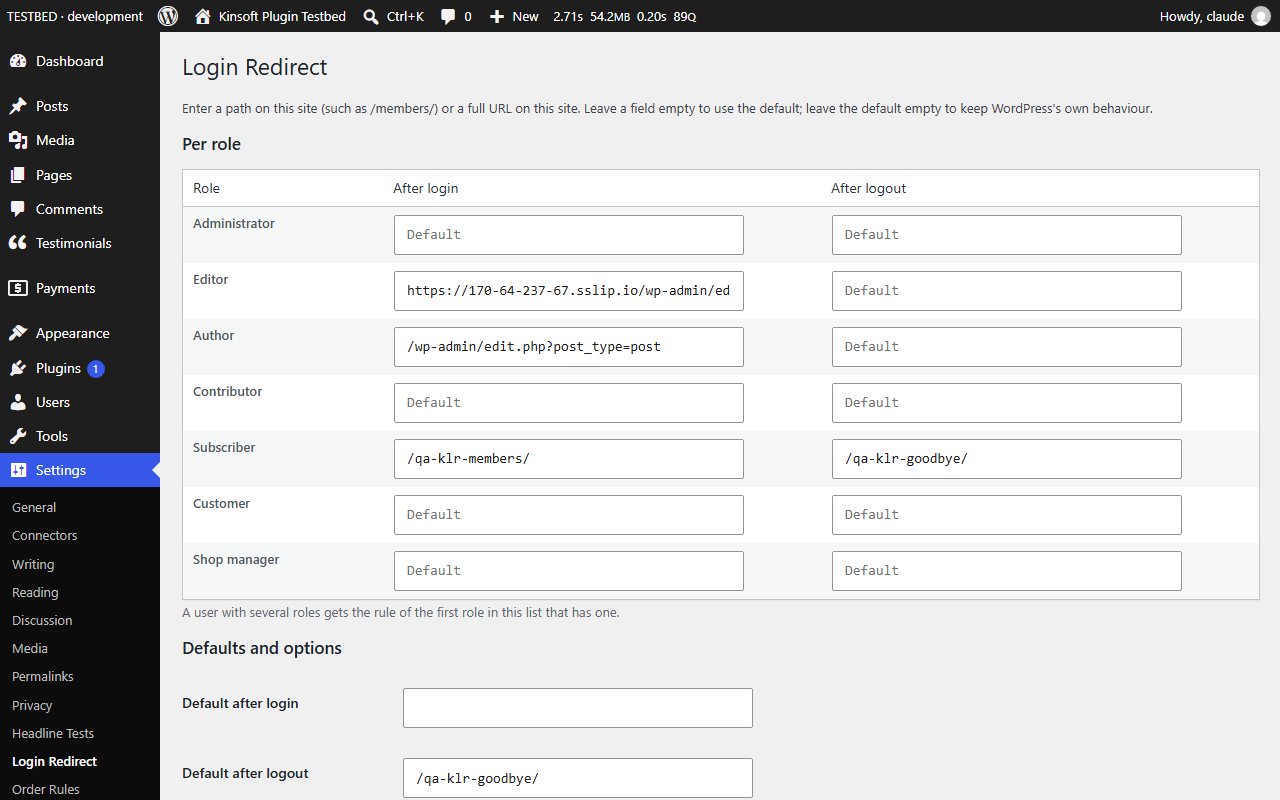
Login Redirect sends people to the right place when they log in and when they log out. Subscribers can land on their account page instead of the dashboard, customers can go back to the shop when they log out, and editors can still go straight to the posts screen.
Login Redirect Pro
$29 per year, single site
Everything in Free, plus:
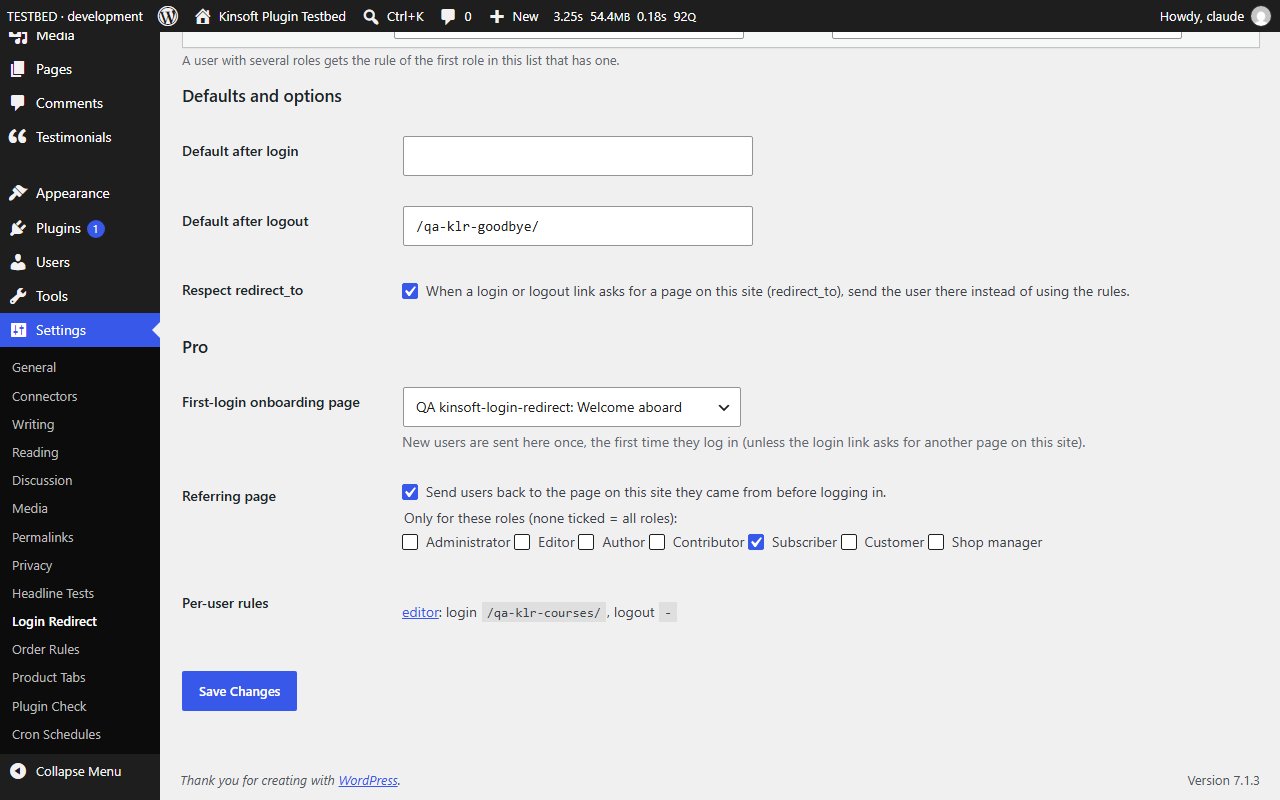
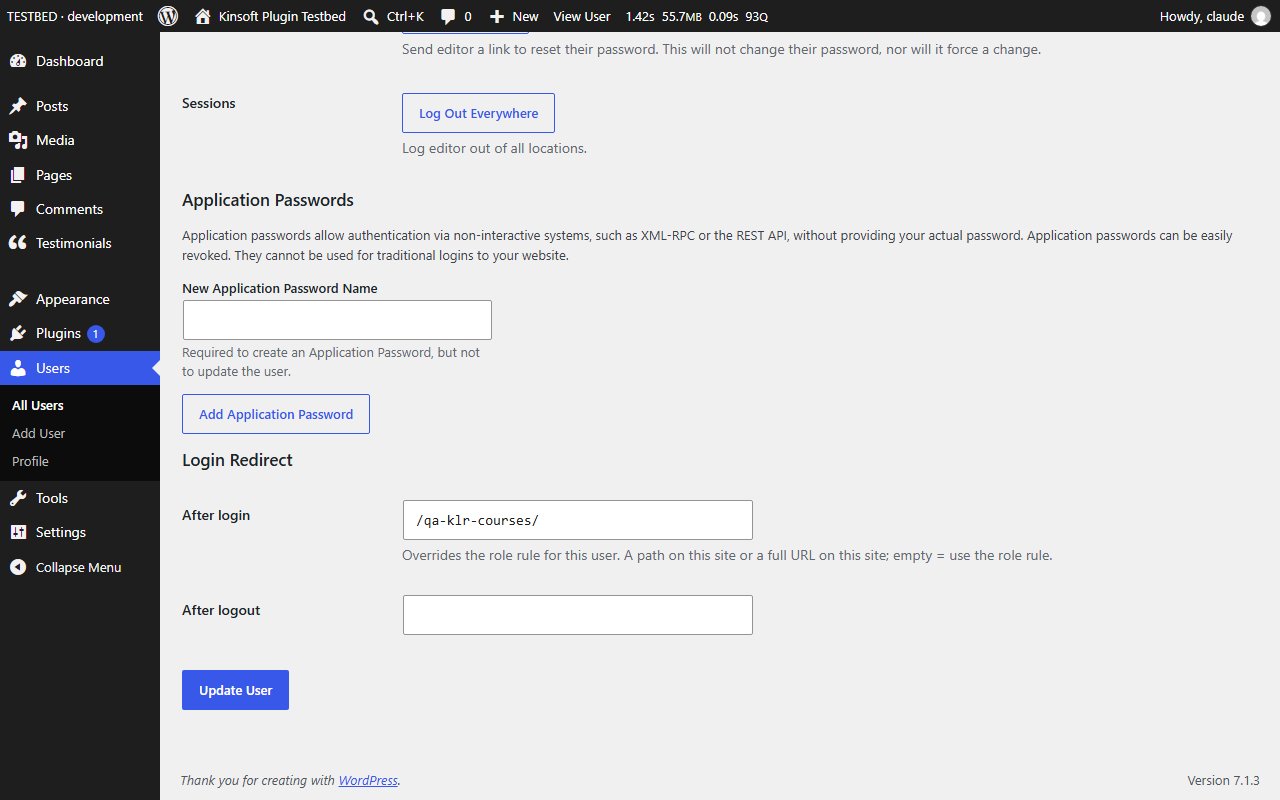
- Per-user rules
- First-login onboarding page
- Referrer rules
Screenshots
Pro pricing
One licence covers updates and support for a year. Pick the number of sites you run it on.
Checkout and licensing run on Freemius, our merchant of record. 14-day money-back guarantee. Prices in USD; any applicable tax is shown at checkout.
Requirements
WordPress 6.4 or newer (tested up to 7.1), PHP 7.4 or newer. Works with the block editor and the classic editor.
Installation
- Download the free version or start the Pro trial above. Freemius emails you the zip and, for Pro, your licence key.
- In WordPress go to Plugins → Add New → Upload Plugin, choose the zip and activate it.
- Pro: paste the licence key when the plugin asks for it, or later under the plugin's Account screen.
Stuck? Open a support ticket and include your WordPress and PHP versions.