Environment Indicator v1.0.0
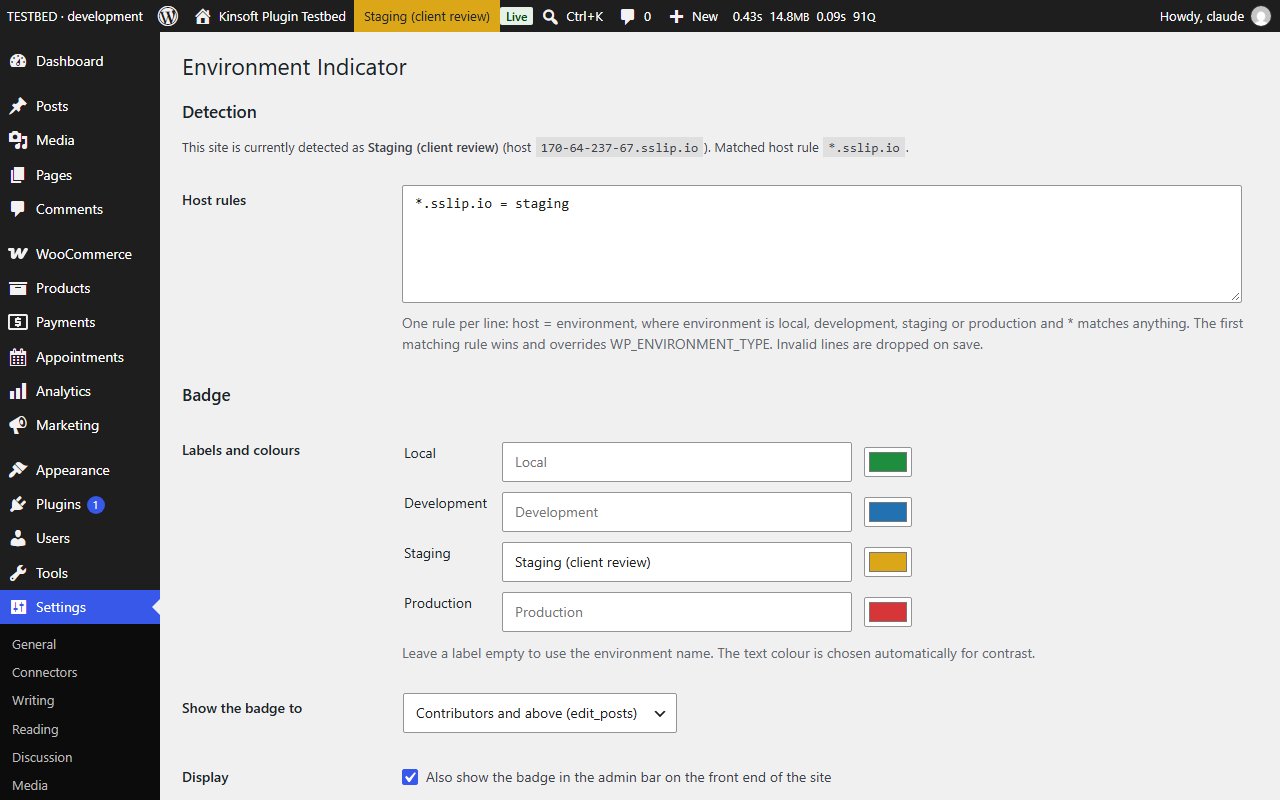
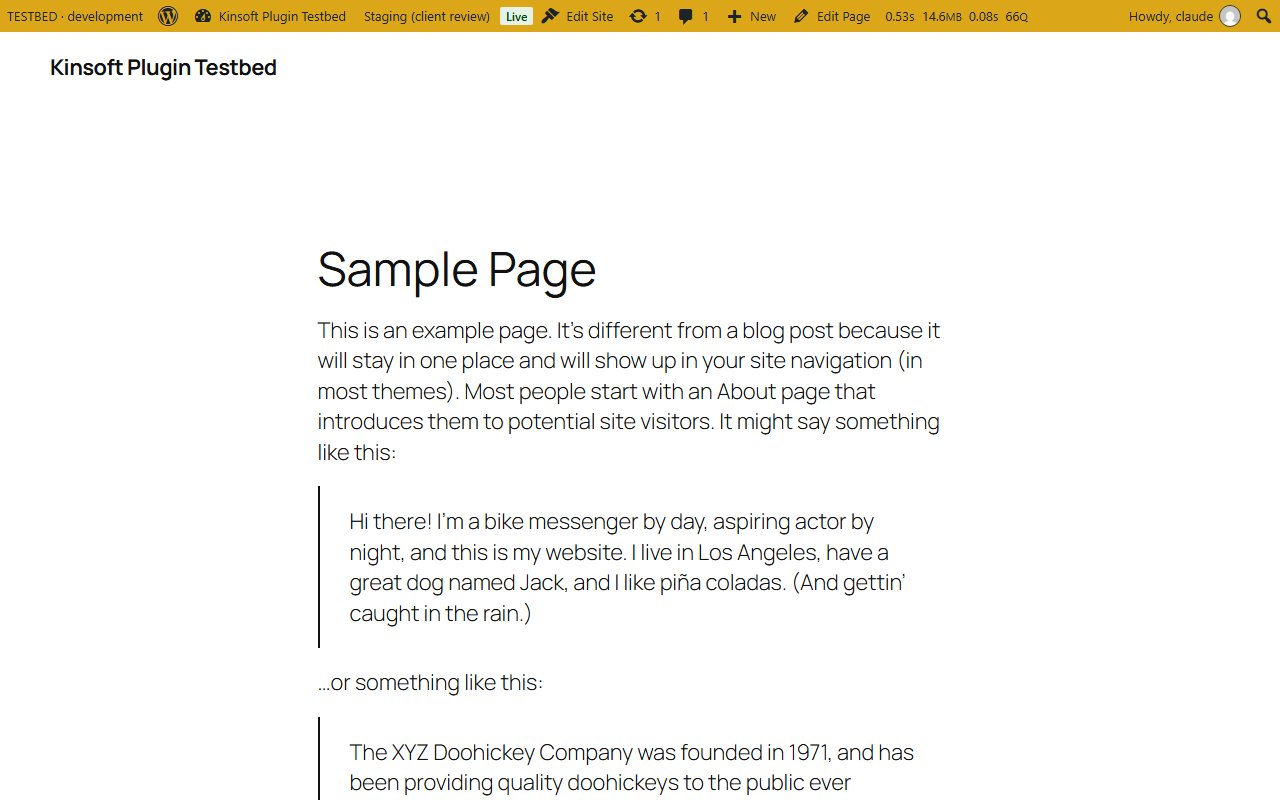
Shows which environment you are in with a coloured admin bar badge. Pro adds per-user colours, production warnings and a login badge.
No credit card for the trial. Pro from $1.58/mo, billed annually. 14-day money-back guarantee.
Working on a local copy, a staging site and the live site in three browser tabs? Environment Indicator puts a coloured badge in the admin bar so you always know which one you are about to change.
Environment Indicator Pro
$19 per year, single site
Everything in Free, plus:
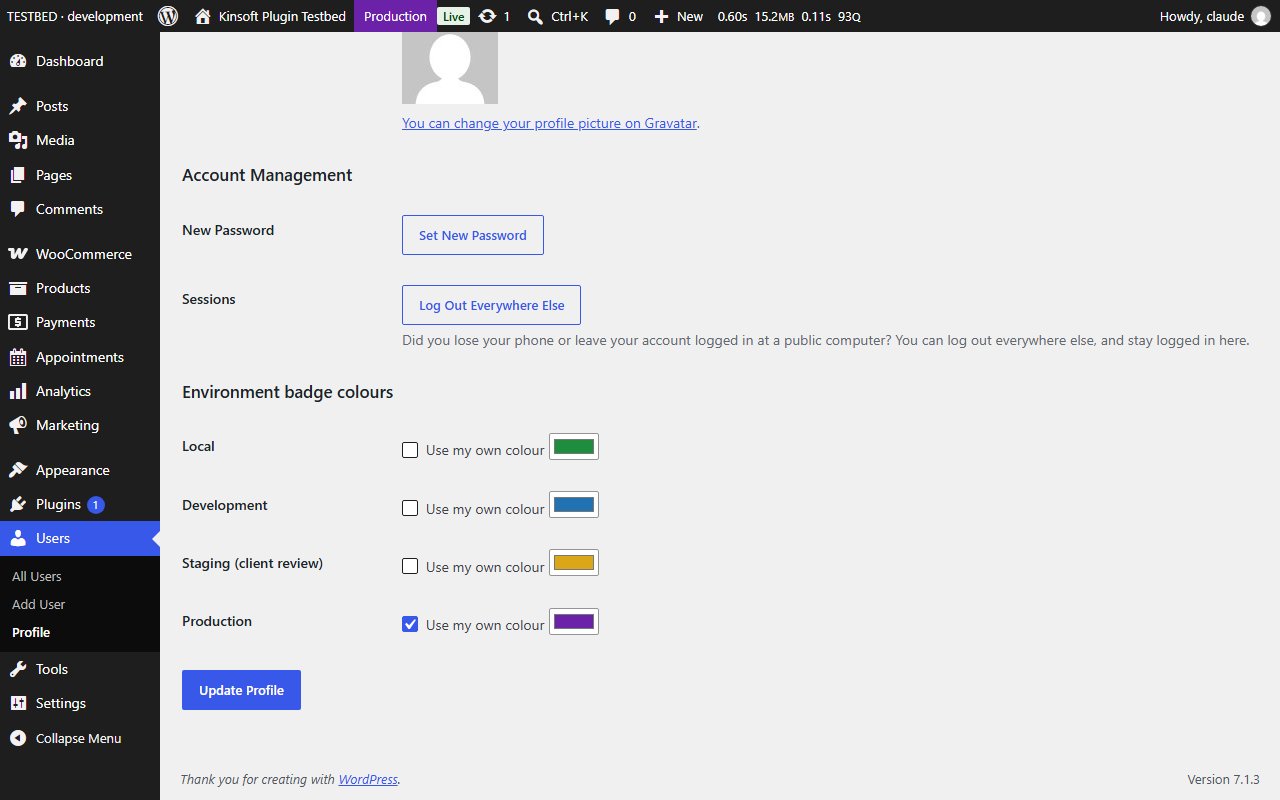
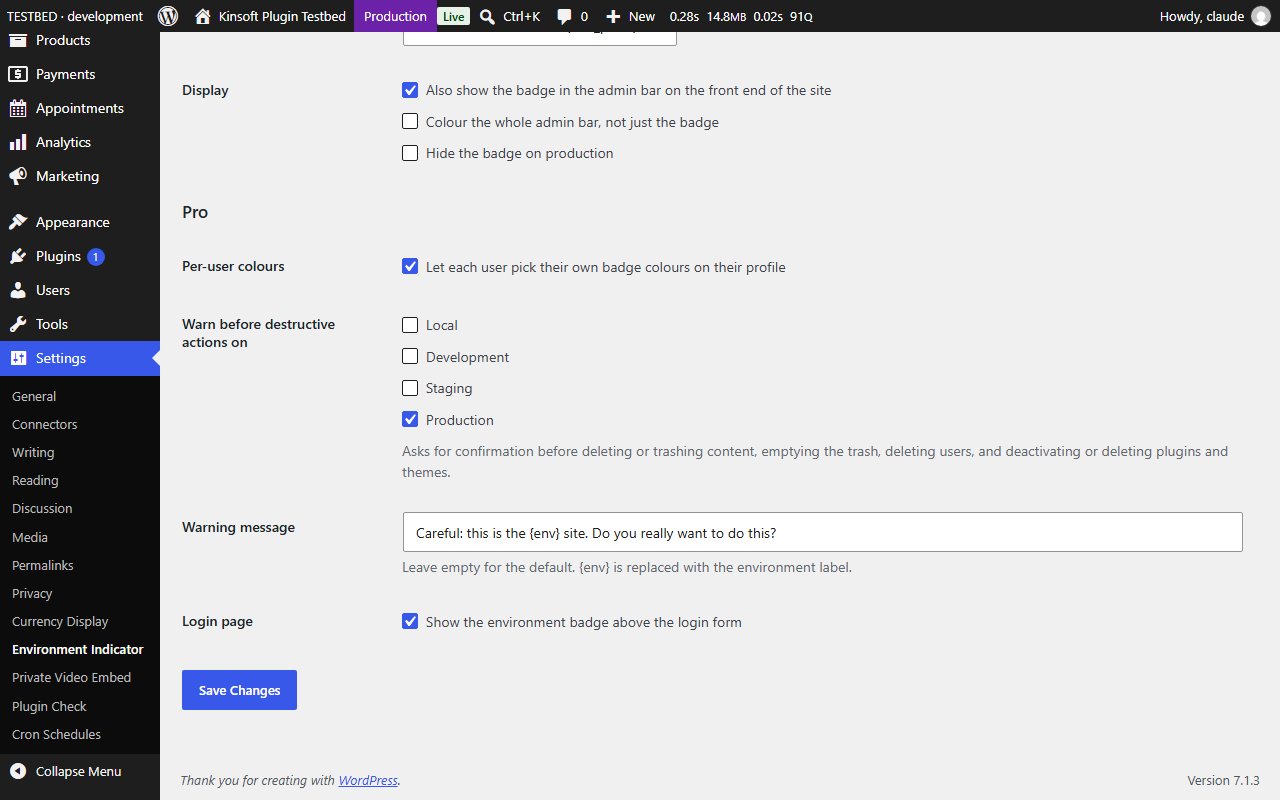
- Per-user colours: each user can pick their own badge colour for each environment on their profile.
- Production warnings: a confirmation prompt before destructive actions on production (or any environment you choose), such as deleting or trashing content, emptying the trash, deleting users, and deactivating or deleting plugins and themes. The message is customisable.
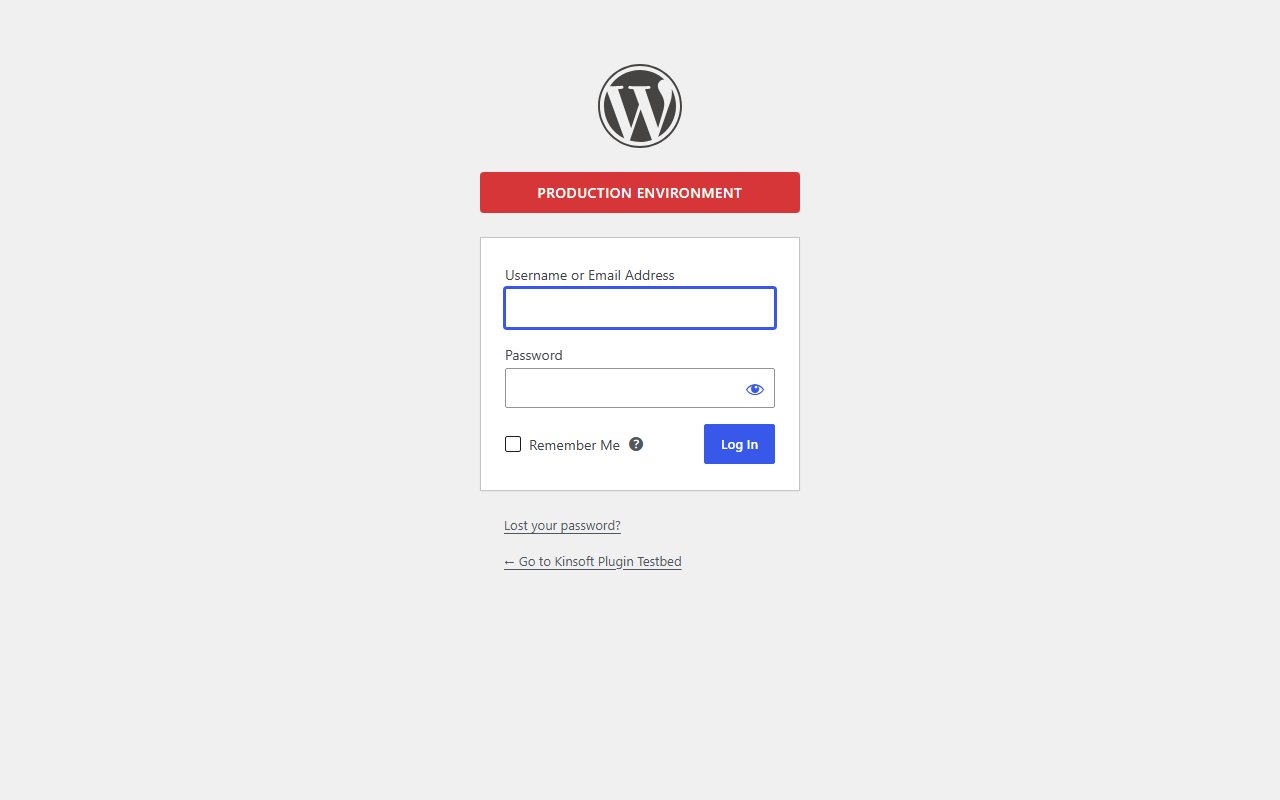
- Login page badge: the environment is shown above the login form, so you know where you are before you sign in.
Screenshots
Pro pricing
One licence covers updates and support for a year. Pick the number of sites you run it on.
Checkout and licensing run on Freemius, our merchant of record. 14-day money-back guarantee. Prices in USD; any applicable tax is shown at checkout.
Requirements
WordPress 6.4 or newer (tested up to 7.1), PHP 7.4 or newer. Works with the block editor and the classic editor.
Installation
- Download the free version or start the Pro trial above. Freemius emails you the zip and, for Pro, your licence key.
- In WordPress go to Plugins → Add New → Upload Plugin, choose the zip and activate it.
- Pro: paste the licence key when the plugin asks for it, or later under the plugin's Account screen.
Stuck? Open a support ticket and include your WordPress and PHP versions.