Post Type Builder v1.0.0
Build custom post types and taxonomies from an admin screen: labels, supports, menu and REST options. Pro adds PHP export, templates and JSON.
No credit card for the trial. Pro from $4.08/mo, billed annually. 14-day money-back guarantee.
Post Type Builder lets you add your own content types to WordPress without writing code. Create a "Books" post type with a "Genres" taxonomy, a "Projects" portfolio or a "Team Members" section in a minute, then edit them whenever you like.
Free
$0 forever
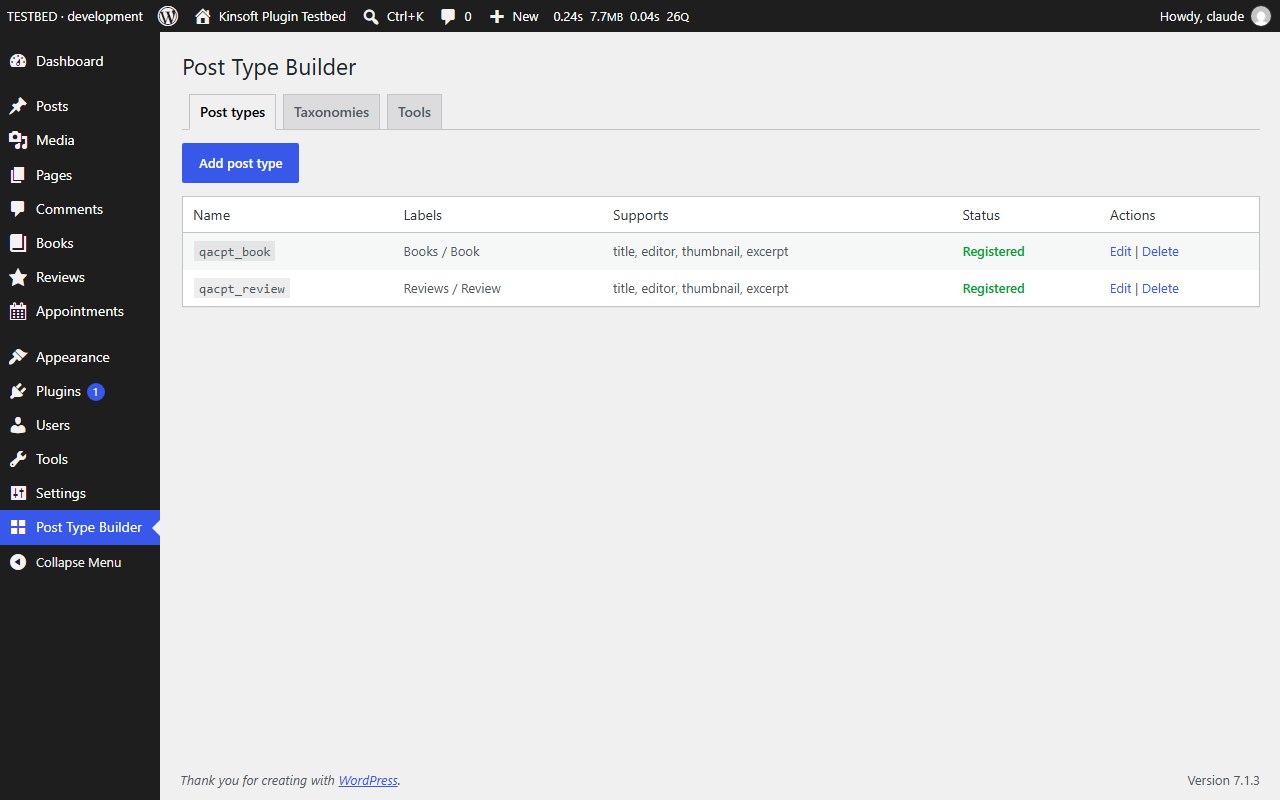
- One screen, Post Type Builder in the admin menu, with tabs for post types and taxonomies.
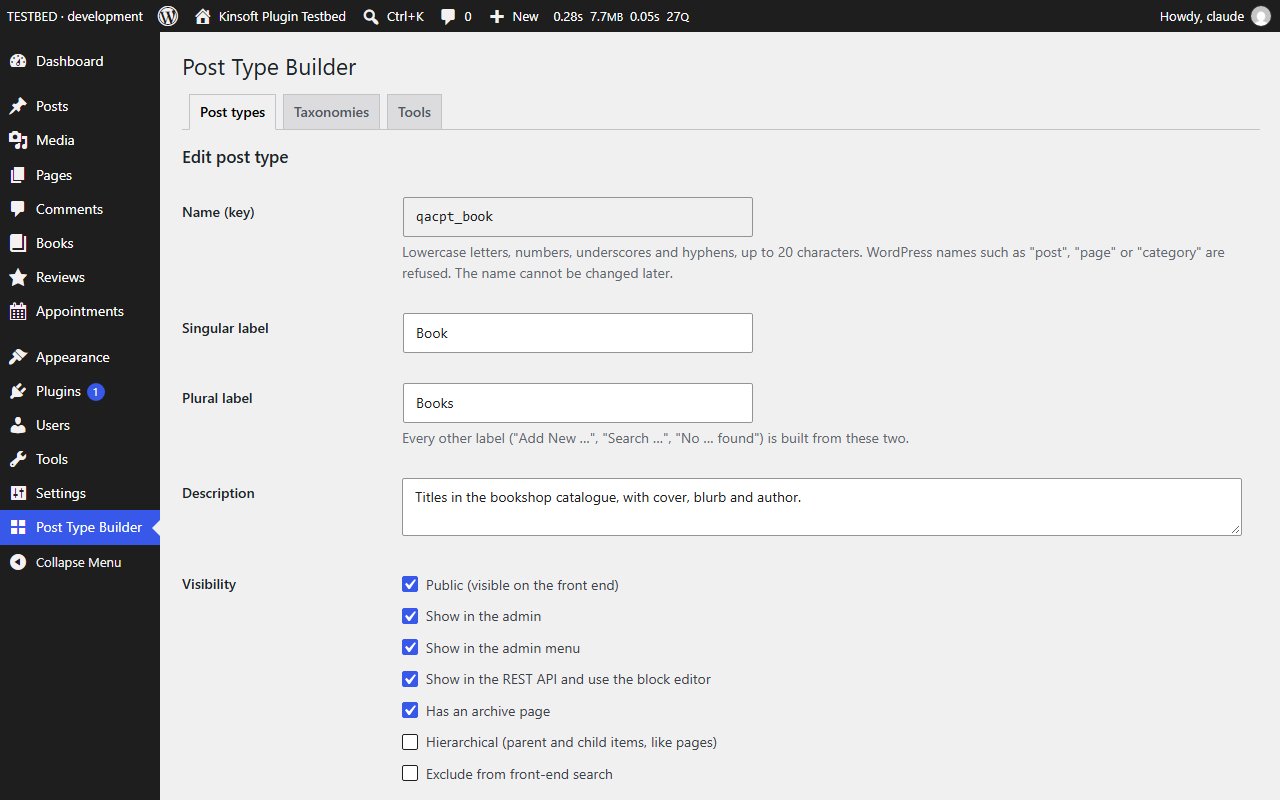
- Name each type once (the key used in code and queries) and give it a singular and a plural label. Every other label ("Add New Book", "Search Books", "No Books found.") is built for you.
- Choose what the editor shows: title, content, featured image, excerpt, author, comments, revisions, custom fields, page attributes, trackbacks and post formats.
- Visibility options: public or private, shown in the admin and the admin menu, available in the REST API and the block editor, archive page, parent and child items, excluded from search.
- Pick a Dashicons menu icon and a menu position, and set the URL slug used on the front end.
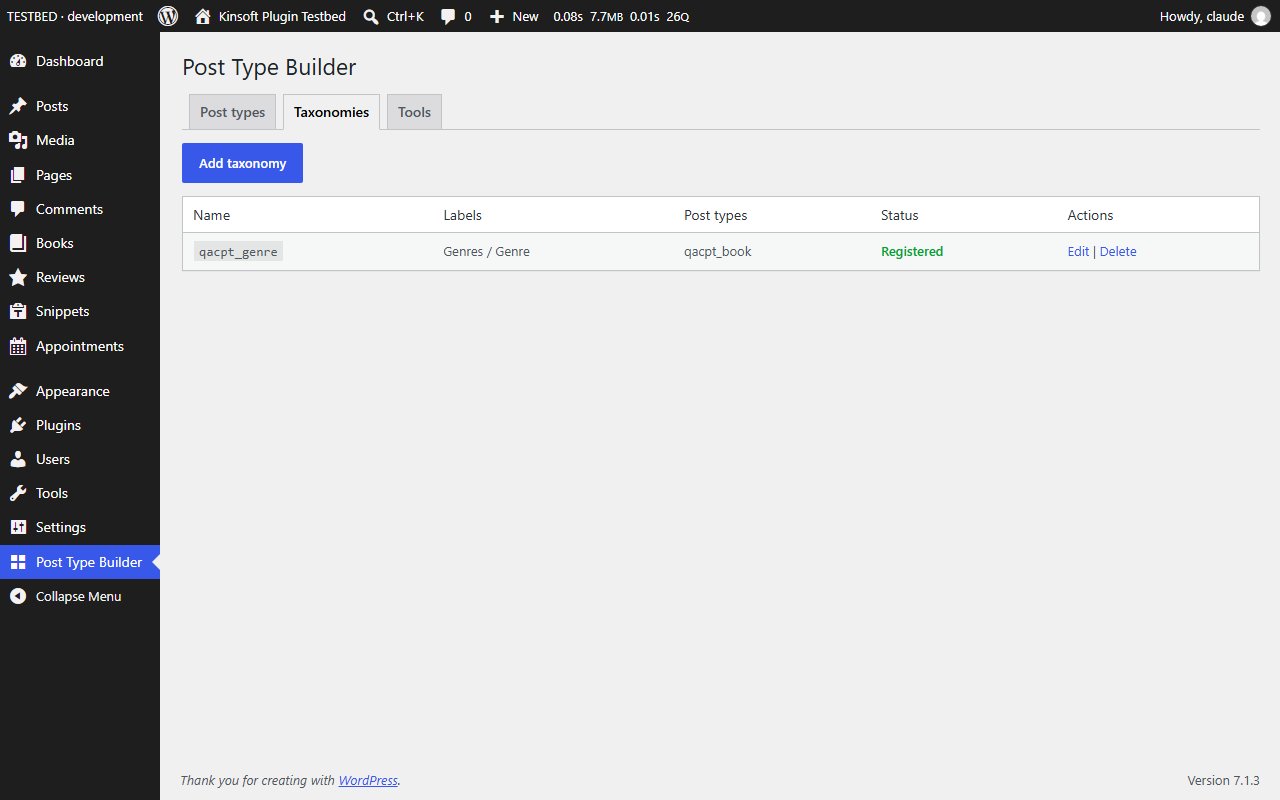
- Use the built-in Categories and Tags on your post types, or create your own category-like or tag-like taxonomies and attach them to any post type.
- Safe names: WordPress names such as "post", "page", "category" or "author", names starting with "wp_", names already used by your theme or another plugin, and post type names over 20 characters are refused before anything is saved.
- Definitions are stored in two options and registered on every page load; rewrite rules are refreshed automatically after a change.
- Deleting a definition never deletes content: posts and terms stay in the database and reappear if you add the same name again.
Post Type Builder Pro
$49 per year, single site
Everything in Free, plus:
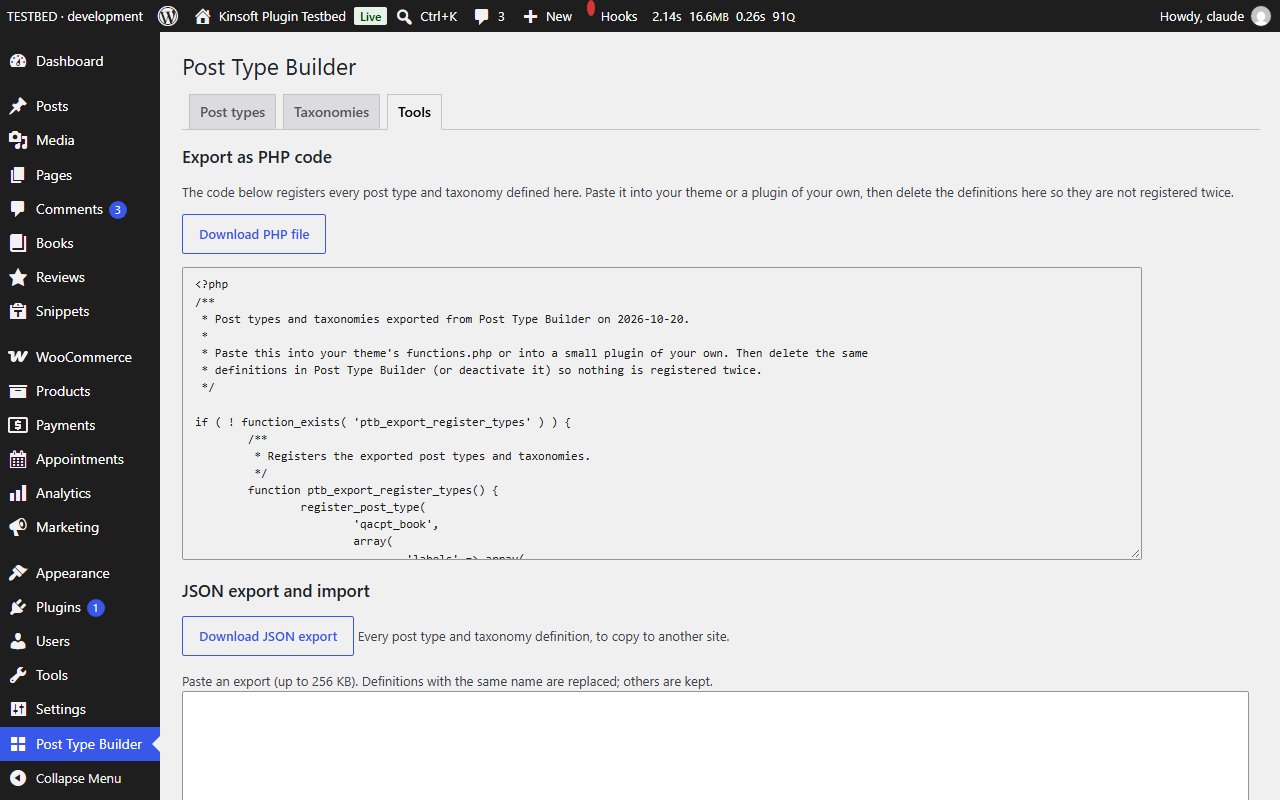
- Export as PHP code: a ready-to-paste file with the register_post_type() and register_taxonomy() calls for everything you built, to move your types into a theme or plugin of your own. The code is shown and downloaded as text, never run.
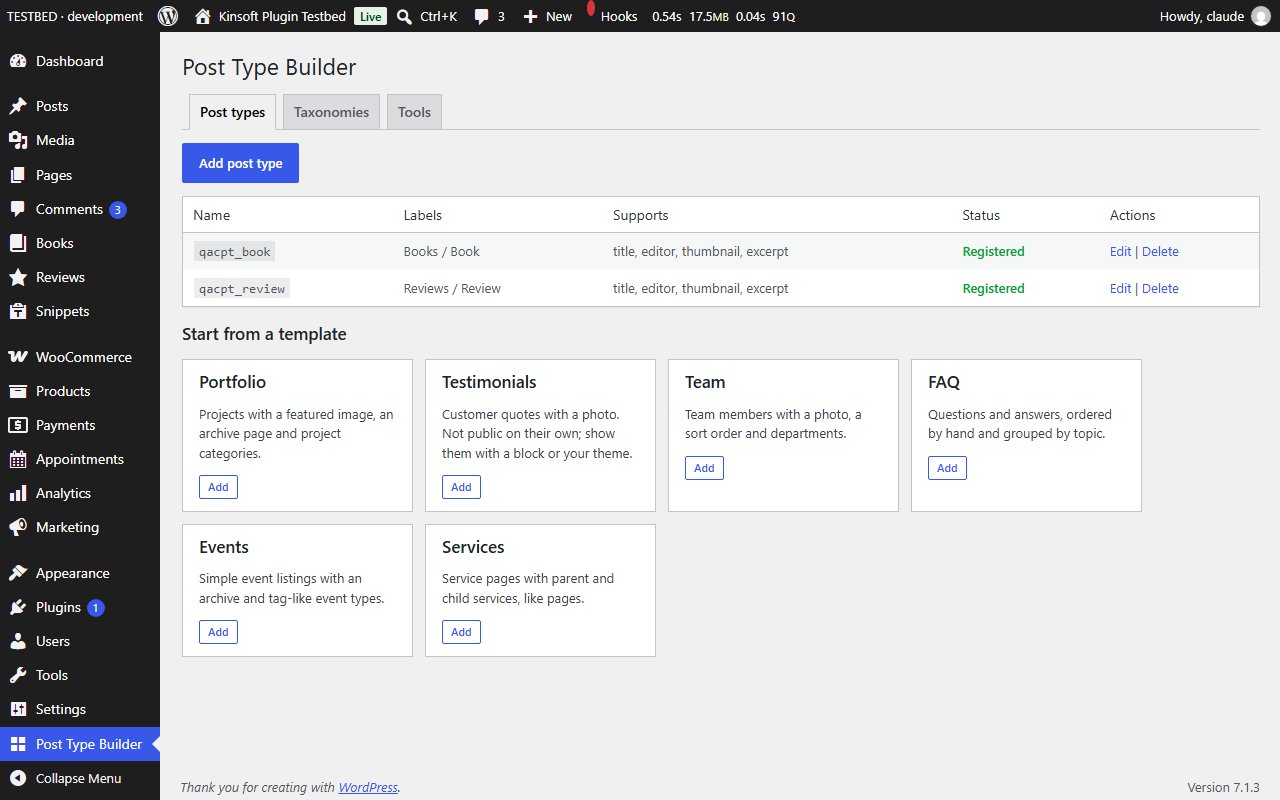
- Templates: add a complete portfolio, team, testimonials, FAQ, events or services setup (post type plus taxonomies) with one click.
- JSON import and export: copy your post types and taxonomies to another site. Imports are checked exactly like the form, limited in size and never overwrite anything except definitions with the same name.
Screenshots
Pro pricing
One licence covers updates and support for a year. Pick the number of sites you run it on.
Checkout and licensing run on Freemius, our merchant of record. 14-day money-back guarantee. Prices in USD; any applicable tax is shown at checkout.
Requirements
WordPress 6.4 or newer (tested up to 7.1), PHP 7.4 or newer. Works with the block editor and the classic editor.
Installation
- Download the free version or start the Pro trial above. Freemius emails you the zip and, for Pro, your licence key.
- In WordPress go to Plugins → Add New → Upload Plugin, choose the zip and activate it.
- Pro: paste the licence key when the plugin asks for it, or later under the plugin's Account screen.
Stuck? Open a support ticket and include your WordPress and PHP versions.