Quantity Discounts v1.0.0
Quantity-based pricing tiers for WooCommerce products, with a pricing table on the product page and a you-save line in the cart.
No credit card for the trial. Pro from $4.08/mo, billed annually. 14-day money-back guarantee.
Quantity Discounts lets your WooCommerce shop charge less per item when customers buy more. Set "buy 5 or more, save 10%" or "10 or more for $7.50 each" on any product, show shoppers a clear pricing table, and the cart applies the right price on its own.
Free
$0 forever
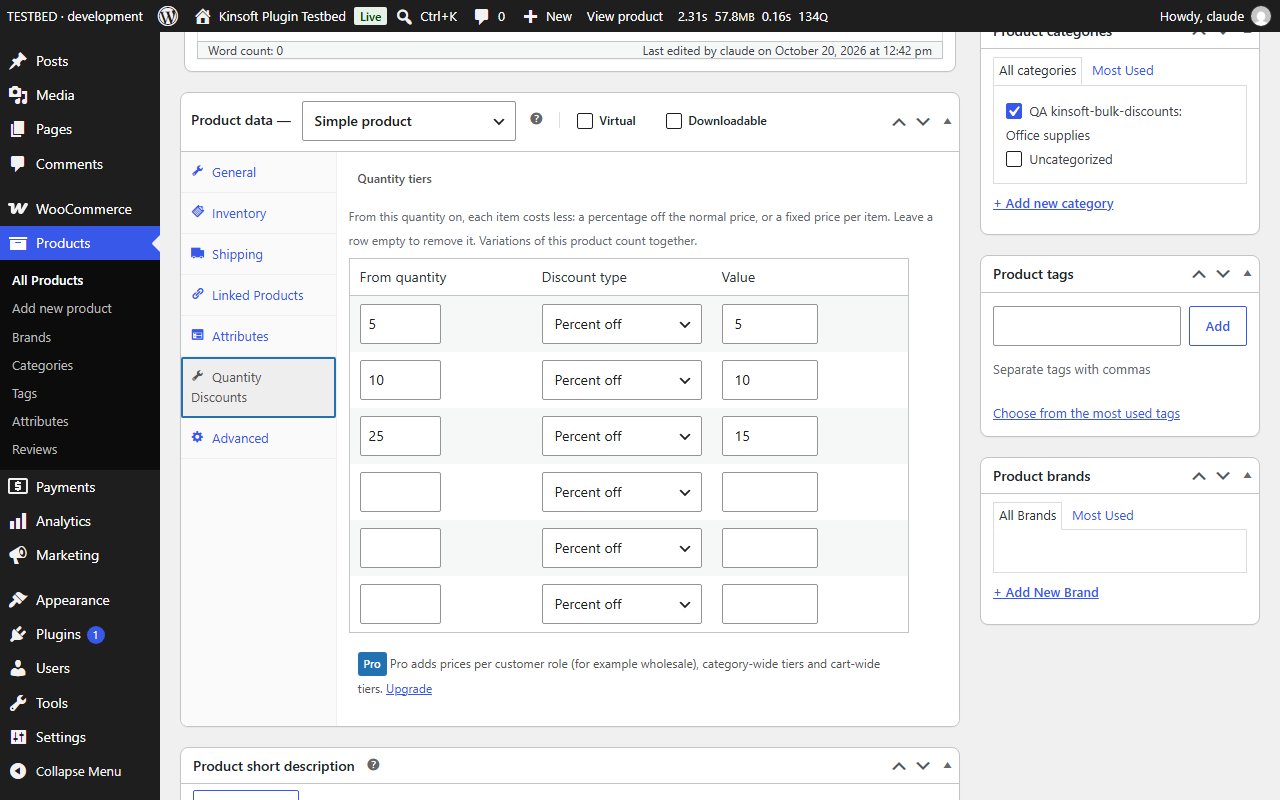
- Quantity tiers per product, edited in a "Quantity Discounts" tab of the Product data box: from-quantity, then a percentage off or a fixed price per item.
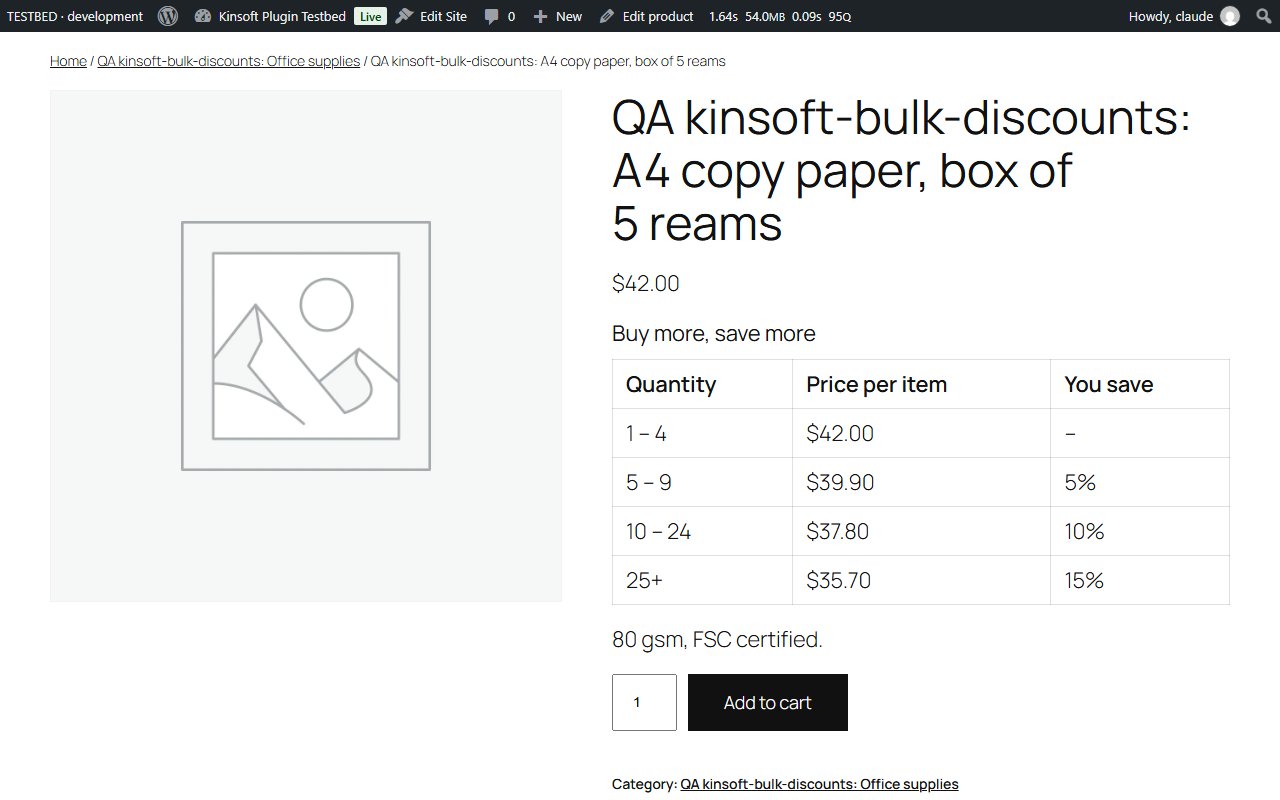
- A pricing table on the product page (above or below the add-to-cart button) showing each quantity range, the price per item and the saving.
- The `[kinsoft_quantity_table id="123"]` shortcode to place the table anywhere.
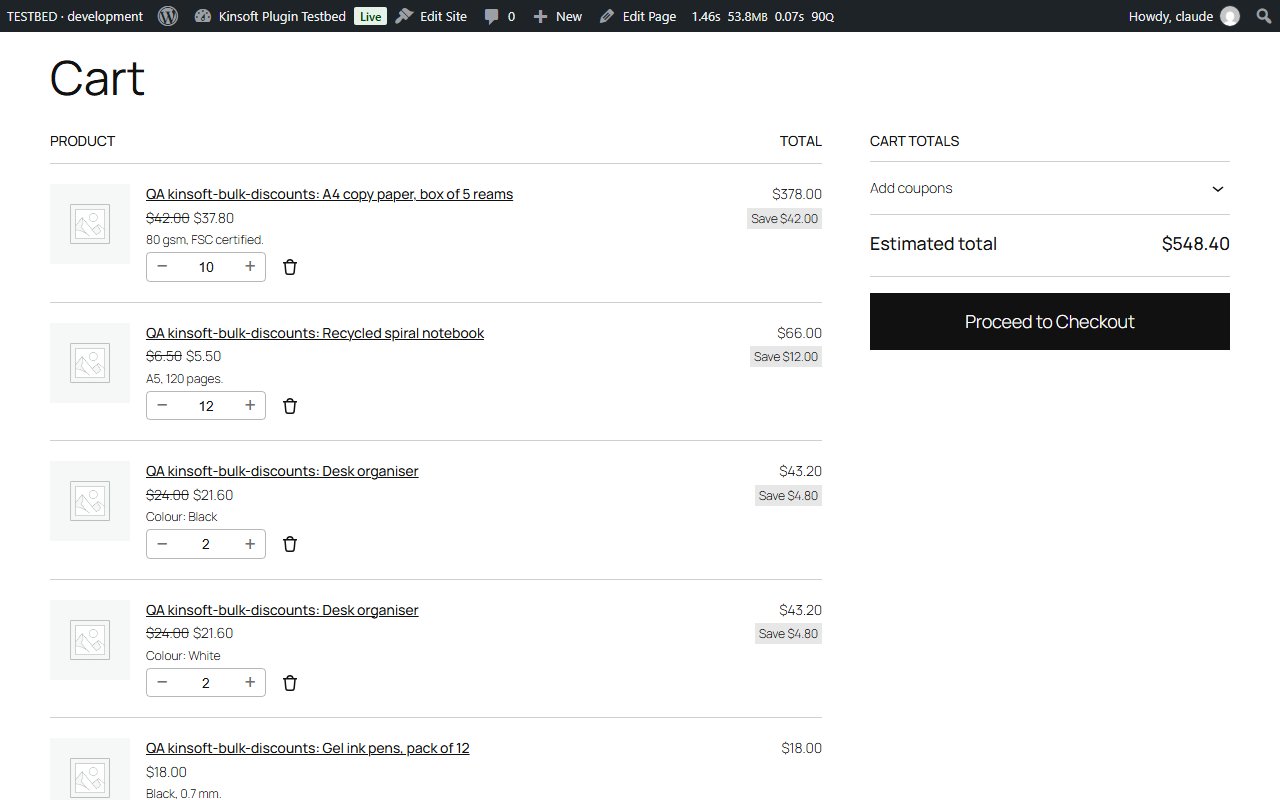
- Tier prices applied to cart lines automatically. All variations of a variable product count together.
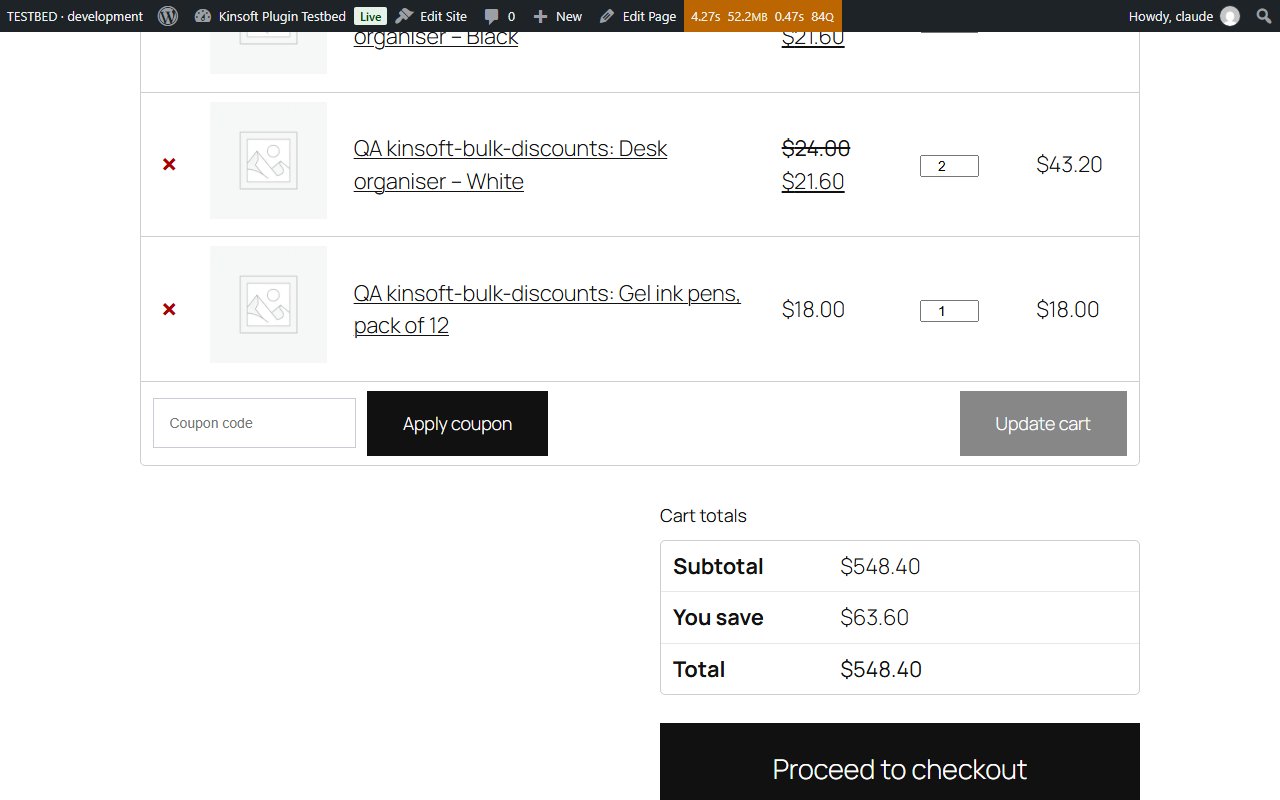
- A "You save" line in the cart and checkout totals, and the normal price struck through on discounted lines.
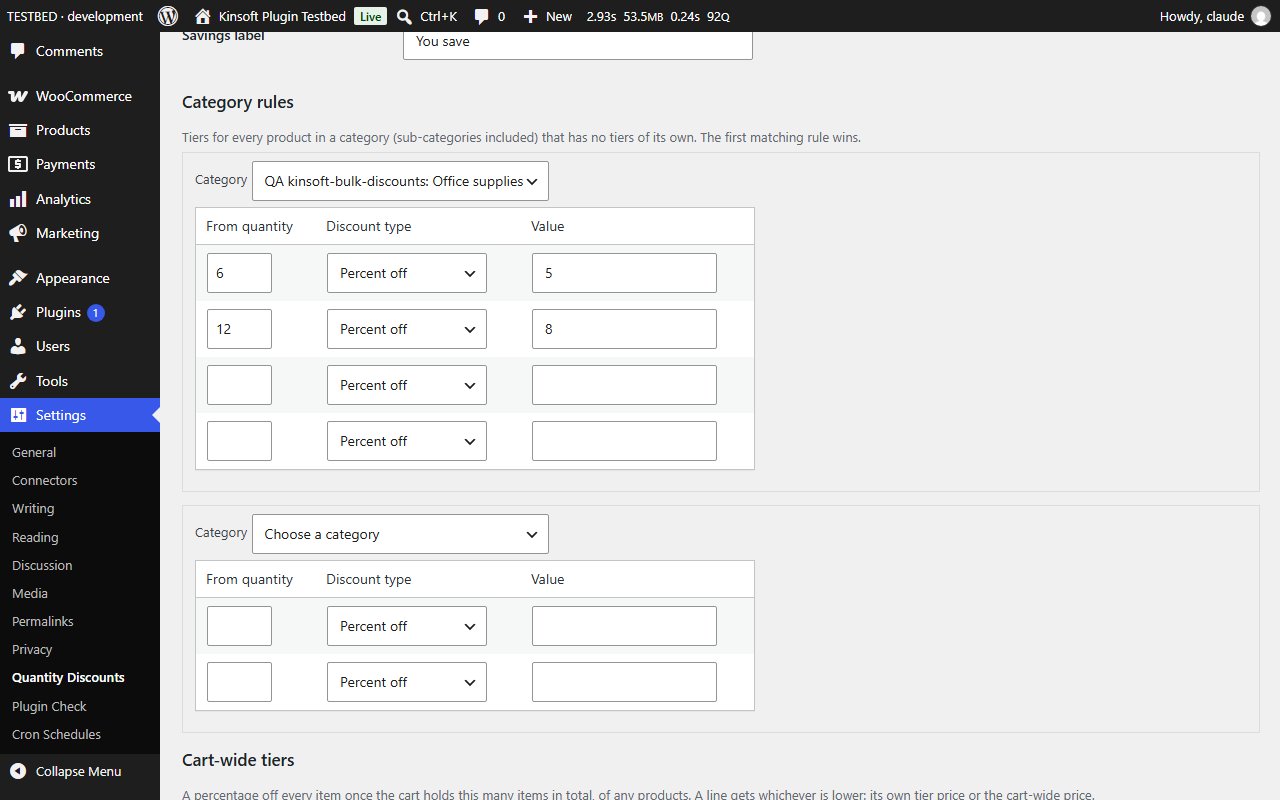
- Settings under Settings > Quantity Discounts: table on or off, position, heading, savings line and its label.
Quantity Discounts Pro
$49 per year, single site
Everything in Free, plus:
- Prices per customer role, for example wholesale customers, with their own tiers on each product.
- Category rules: one set of tiers for every product in a category (sub-categories included).
- Cart-wide tiers: a percentage off everything once the cart holds enough items in total, of any products.
Screenshots
Pro pricing
One licence covers updates and support for a year. Pick the number of sites you run it on.
Checkout and licensing run on Freemius, our merchant of record. 14-day money-back guarantee. Prices in USD; any applicable tax is shown at checkout.
Requirements
WordPress 6.4 or newer (tested up to 7.1), PHP 7.4 or newer. Works with the block editor and the classic editor.
Installation
- Download the free version or start the Pro trial above. Freemius emails you the zip and, for Pro, your licence key.
- In WordPress go to Plugins → Add New → Upload Plugin, choose the zip and activate it.
- Pro: paste the licence key when the plugin asks for it, or later under the plugin's Account screen.
Stuck? Open a support ticket and include your WordPress and PHP versions.