Asset Manager v1.0.0
Unload unneeded scripts and styles per page, per post type or site-wide from an admin-bar panel, with a safe test mode.
No credit card for the trial. Pro from $4.08/mo, billed annually. 14-day money-back guarantee.
Most plugins load their scripts and styles on every page, even where they do nothing: a contact form's files on the shop, a slider's files on every blog post. Asset Manager shows you what each page loads and lets you switch off what it does not need, without touching code.
Free
$0 forever
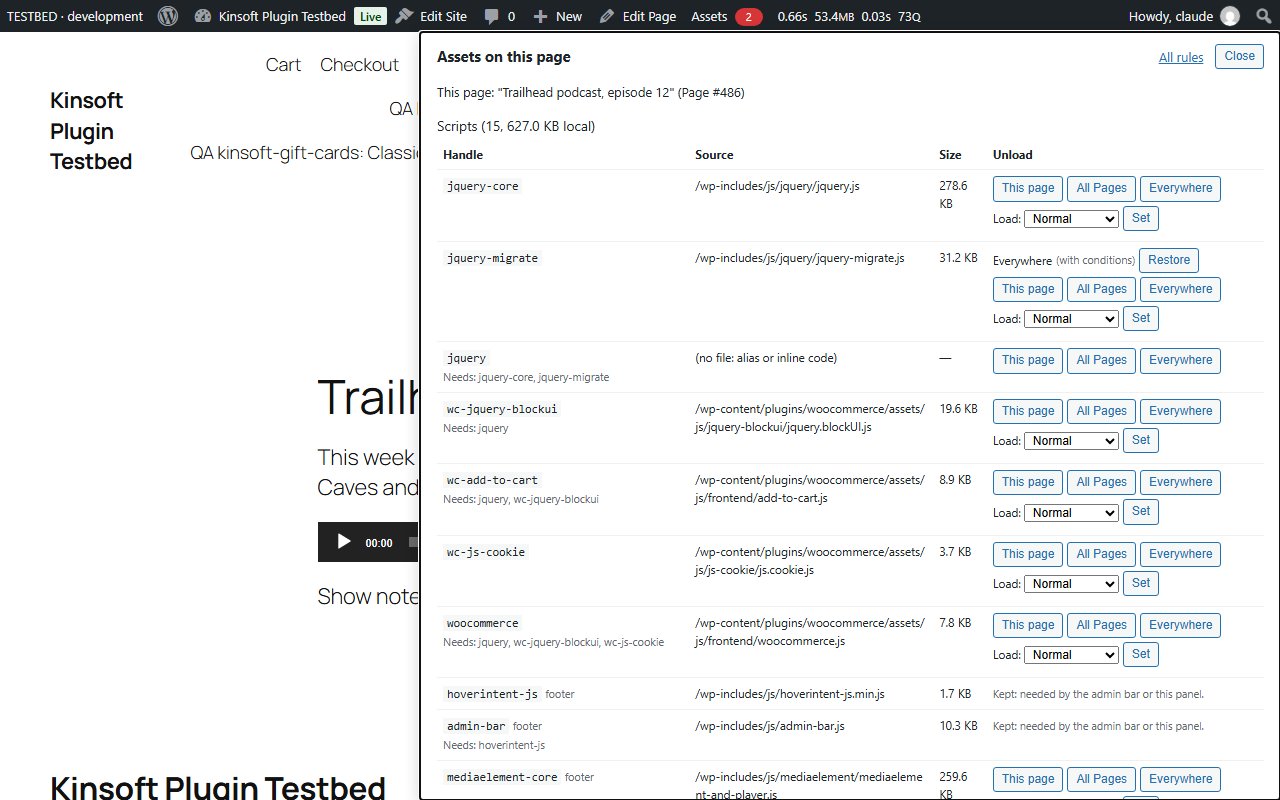
- An "Assets" item in the admin bar on the front end of your site (for administrators). It opens a panel listing every script and style the current page loads, with its handle, source file and size, and whether it loads in the header or the footer.
- Unload any script or style with one click: on this page or post only, on every single post of this post type (for example every Page), or everywhere on the site.
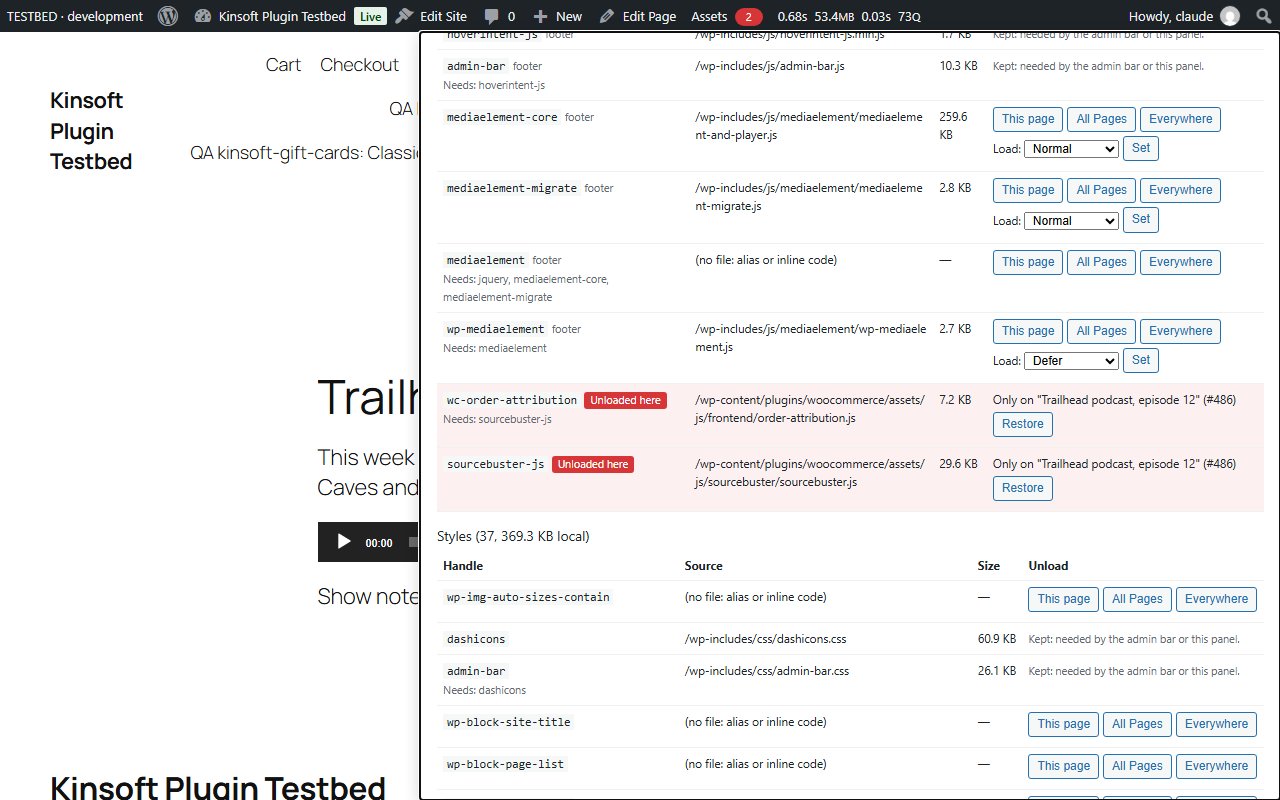
- Assets that are already unloaded stay in the list, marked "Unloaded here", with a Restore button for each rule.
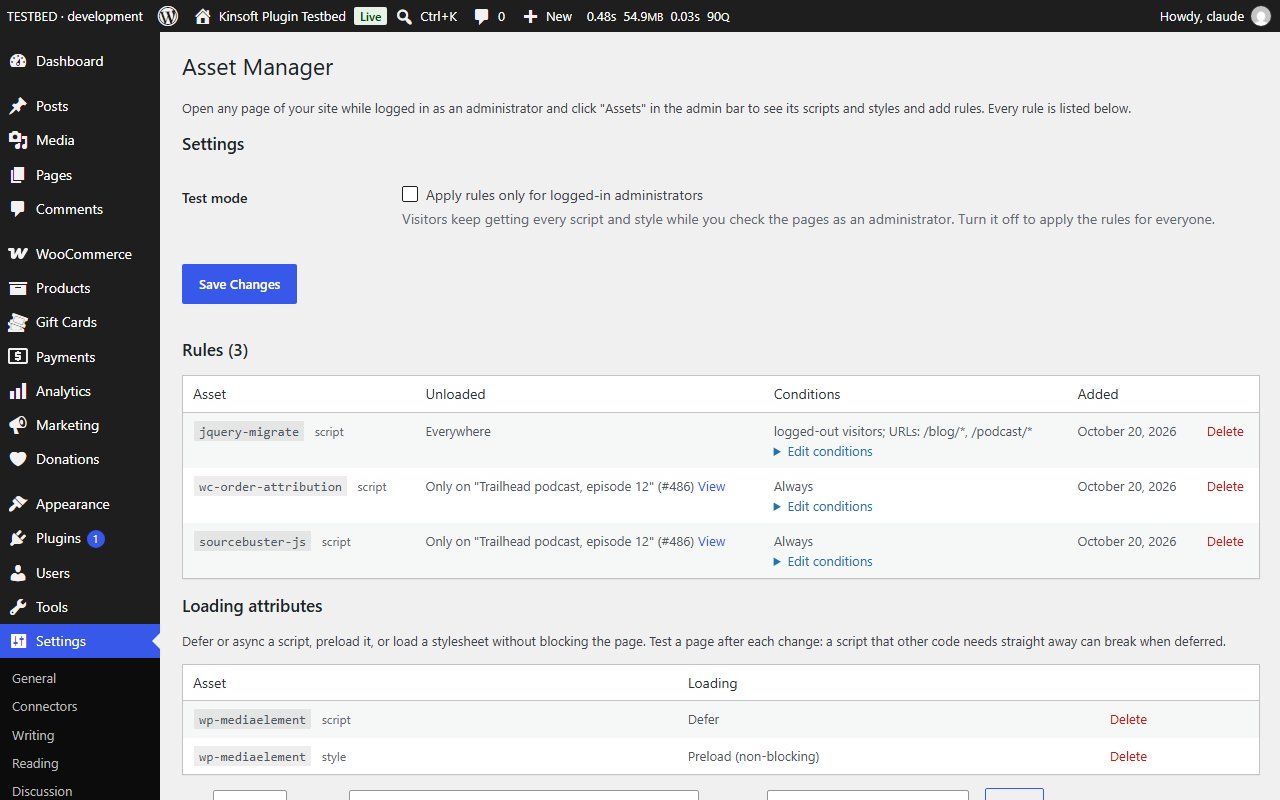
- Test mode: rules apply only for logged-in administrators, so you can check pages before visitors see the change.
- A settings page under Settings > Asset Manager lists every rule, where it applies and when it was added, with a Delete button.
- Safe by design: the admin bar and the files it needs are never unloaded while you are logged in, nothing is changed in the WordPress admin, and deactivating the plugin brings every asset back.
- Sizes are read from the files on your server. Nothing is fetched from external services.
Asset Manager Pro
$49 per year, single site
Everything in Free, plus:
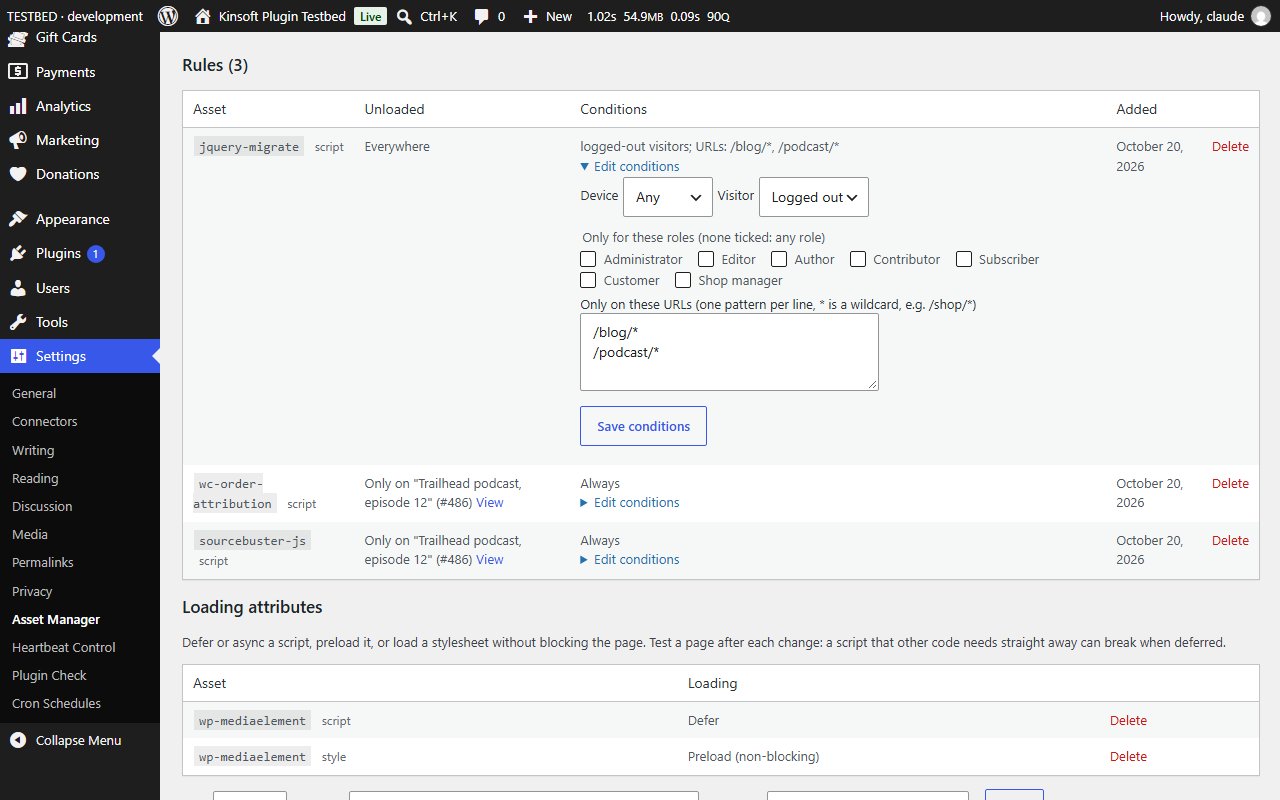
- Conditions on any rule: mobile or desktop visitors (from the browser's user agent), logged-in or logged-out visitors, specific user roles, and URL patterns such as `/shop/*`. A rule with conditions only unloads its asset when every condition matches.
- Loading attributes per handle: defer or async for scripts, a preload hint for scripts, and non-blocking preload for stylesheets.
Screenshots
Pro pricing
One licence covers updates and support for a year. Pick the number of sites you run it on.
Checkout and licensing run on Freemius, our merchant of record. 14-day money-back guarantee. Prices in USD; any applicable tax is shown at checkout.
Requirements
WordPress 6.4 or newer (tested up to 7.1), PHP 7.4 or newer. Works with the block editor and the classic editor.
Installation
- Download the free version or start the Pro trial above. Freemius emails you the zip and, for Pro, your licence key.
- In WordPress go to Plugins → Add New → Upload Plugin, choose the zip and activate it.
- Pro: paste the licence key when the plugin asks for it, or later under the plugin's Account screen.
Stuck? Open a support ticket and include your WordPress and PHP versions.