Admin Menu Editor v1.0.0
Rename, hide and reorder WordPress admin menu items per site, with a one-click reset. Pro adds per-role profiles, JSON import/export and custom links.
No credit card for the trial. Pro from $4.08/mo, billed annually. 14-day money-back guarantee.
Admin Menu Editor tidies the WordPress admin menu for the people who use your site. Give menu items clearer names, hide the ones nobody needs and put the rest in the order that makes sense, then undo everything with one click.
Free
$0 forever
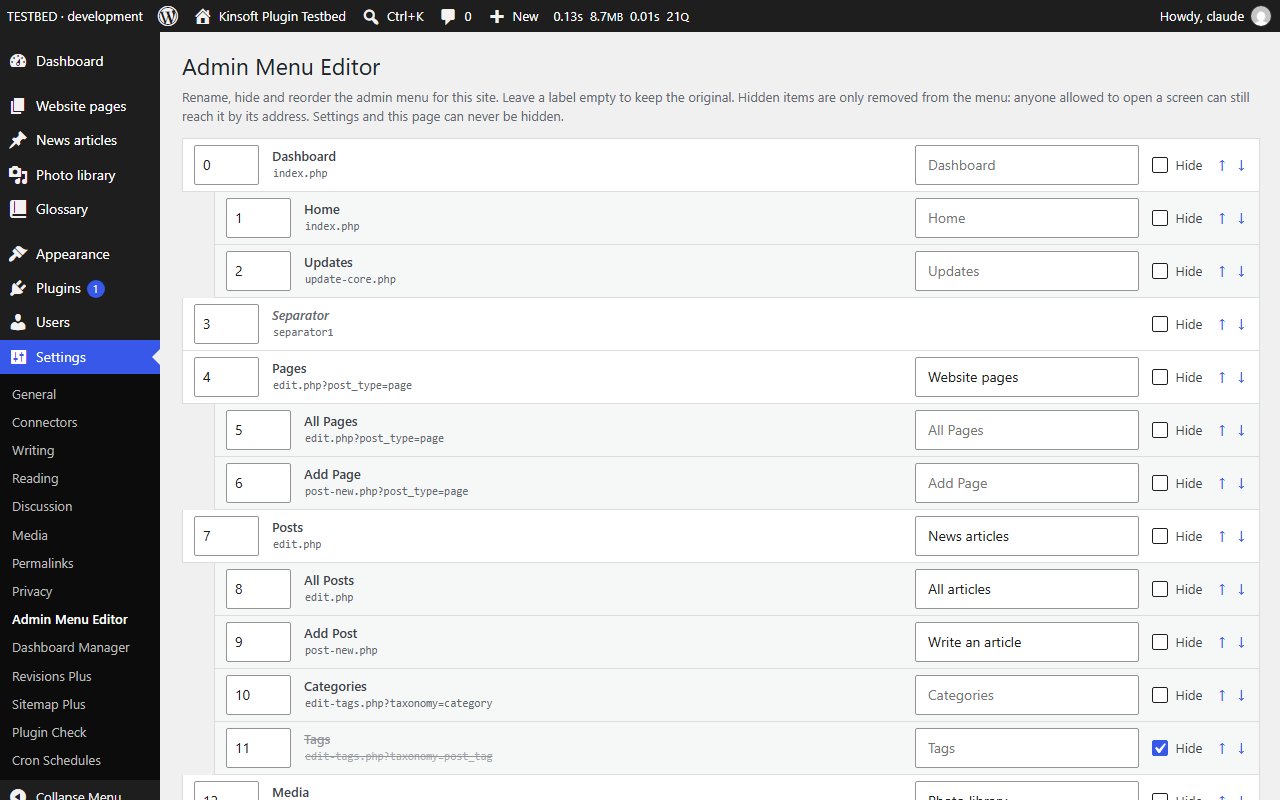
- One screen under Settings > Admin Menu Editor lists every top-level menu item and its submenu items.
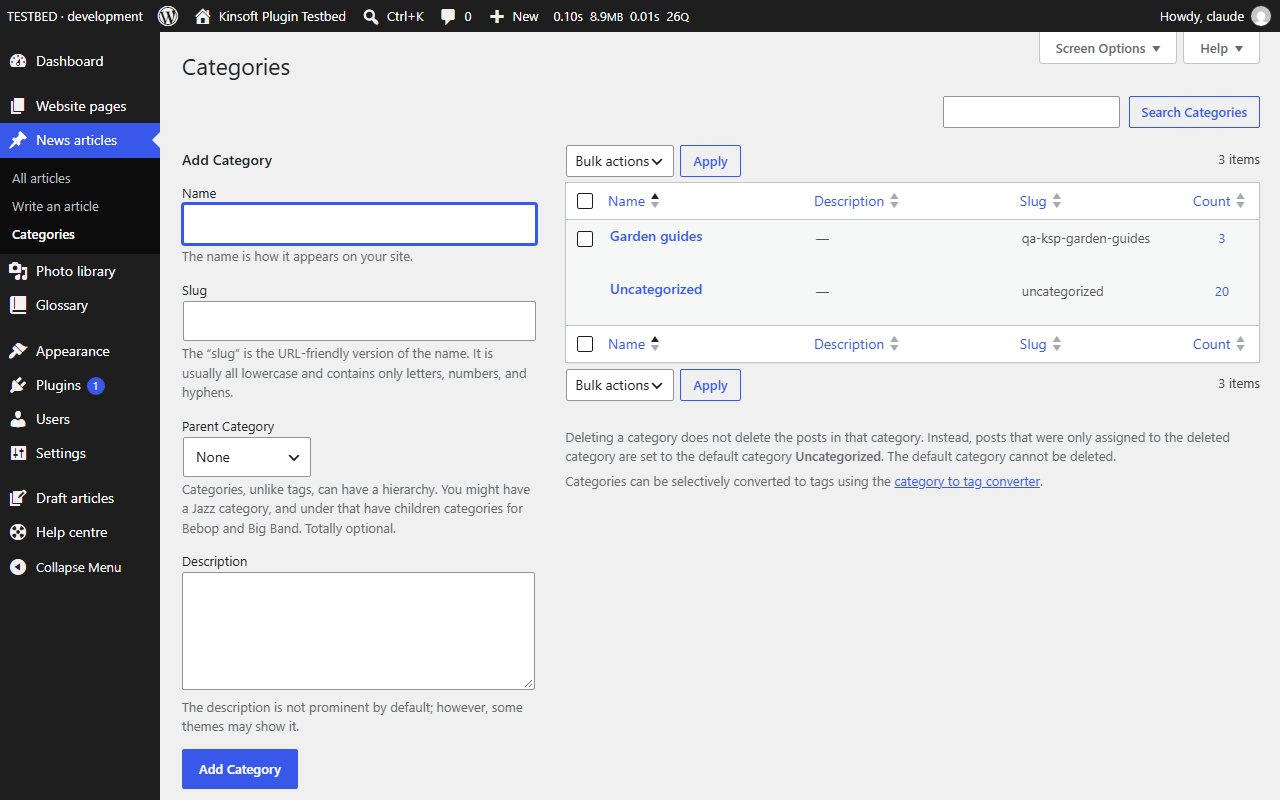
- Rename any item. Leave the label empty to keep the original. Update and comment counts stay next to renamed items.
- Hide any item, including separators. Hidden items are only removed from the menu: nobody loses a capability, and anyone allowed to open a screen can still reach it by its address.
- Reorder top-level items and the items inside each submenu with the arrow buttons or the position numbers.
- Menus added later by other plugins keep their place next to the item they followed, so a new plugin never disappears.
- The Settings menu and the editor page itself can never be hidden, so you cannot lock yourself out.
- One-click reset back to the WordPress menu.
- Stored per site; on a multisite network each site has its own menu.
Admin Menu Editor Pro
$49 per year, single site
Everything in Free, plus:
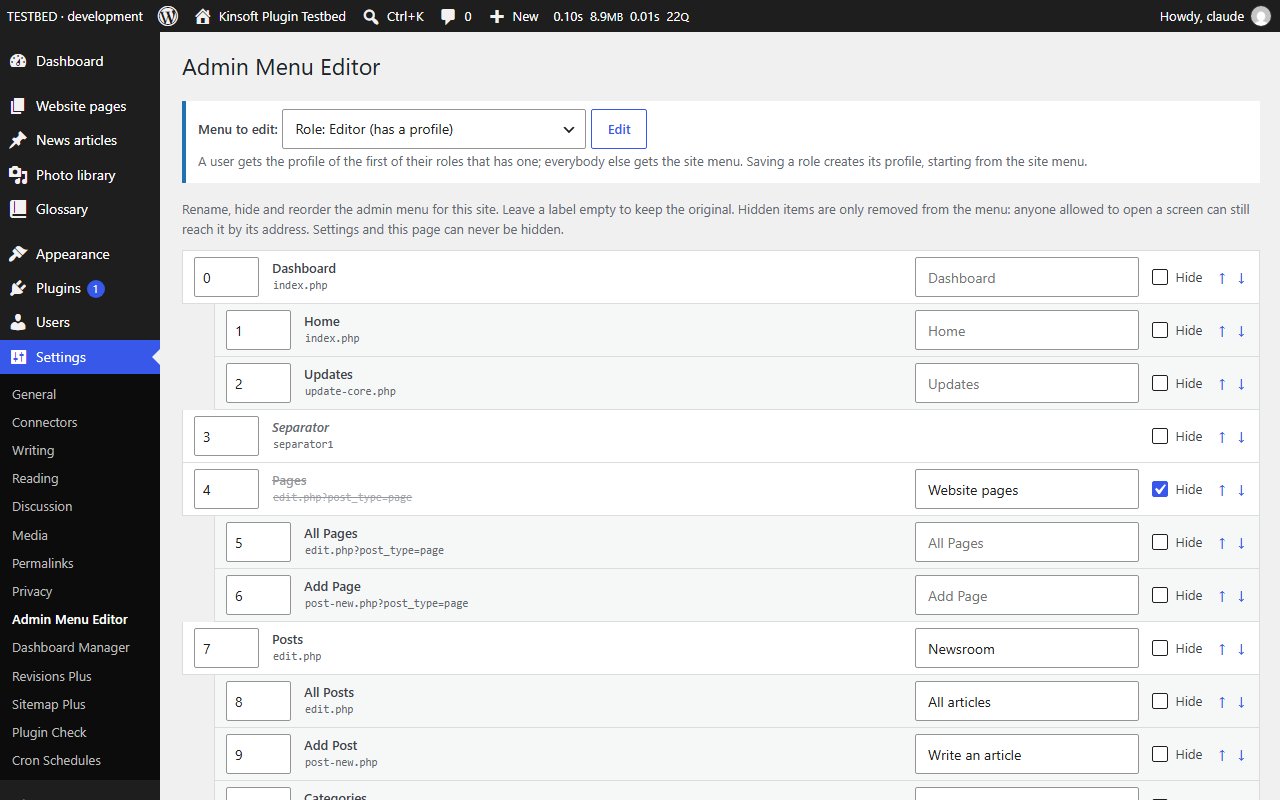
- Per-role menu profiles: a different menu for editors, authors, shop managers or any other role. Users get the profile of their role; everybody else gets the site menu.
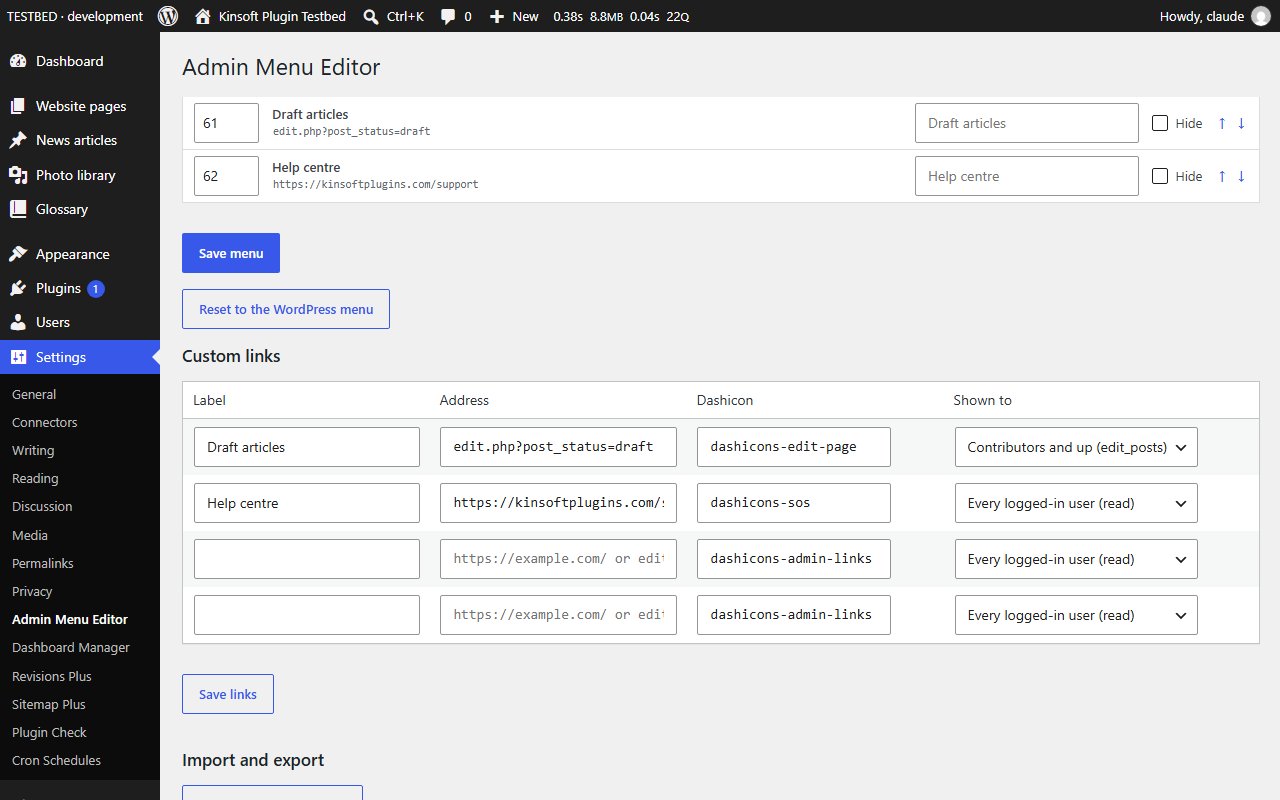
- Import and export of the whole configuration (site menu, role profiles and custom links) as JSON, to copy a menu from one site to another.
- Custom menu links: add your own links to help pages, external tools or filtered admin screens, each with a Dashicon and a minimum role.
Screenshots
Pro pricing
One licence covers updates and support for a year. Pick the number of sites you run it on.
Checkout and licensing run on Freemius, our merchant of record. 14-day money-back guarantee. Prices in USD; any applicable tax is shown at checkout.
Requirements
WordPress 6.4 or newer (tested up to 7.1), PHP 7.4 or newer. Works with the block editor and the classic editor.
Installation
- Download the free version or start the Pro trial above. Freemius emails you the zip and, for Pro, your licence key.
- In WordPress go to Plugins → Add New → Upload Plugin, choose the zip and activate it.
- Pro: paste the licence key when the plugin asks for it, or later under the plugin's Account screen.
Stuck? Open a support ticket and include your WordPress and PHP versions.