Integration for Axonaut v1.0.0
Every website enquiry becomes an Axonaut prospect with its contact, categories and sales owner, and the whole message as a note; routing rules in Pro.
No credit card for the trial. Pro from $4.08/mo, billed annually. 14-day money-back guarantee.
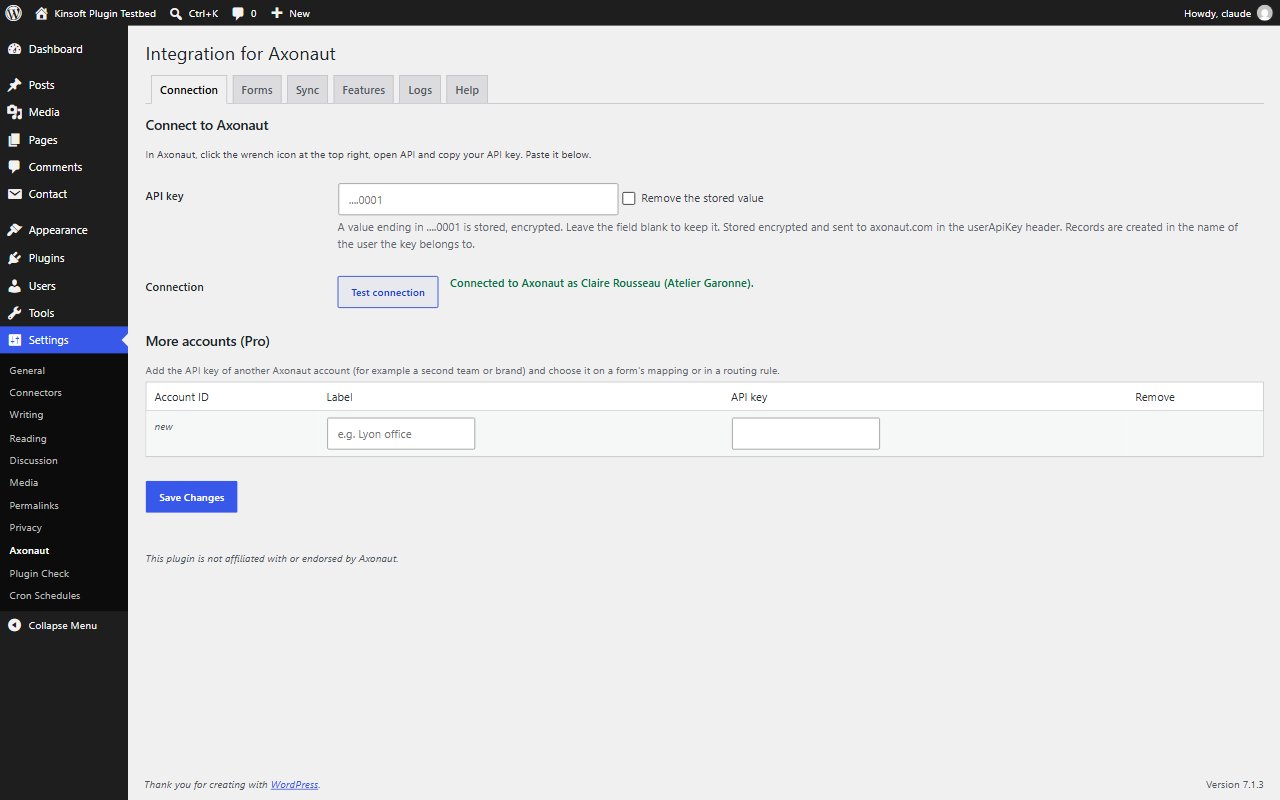
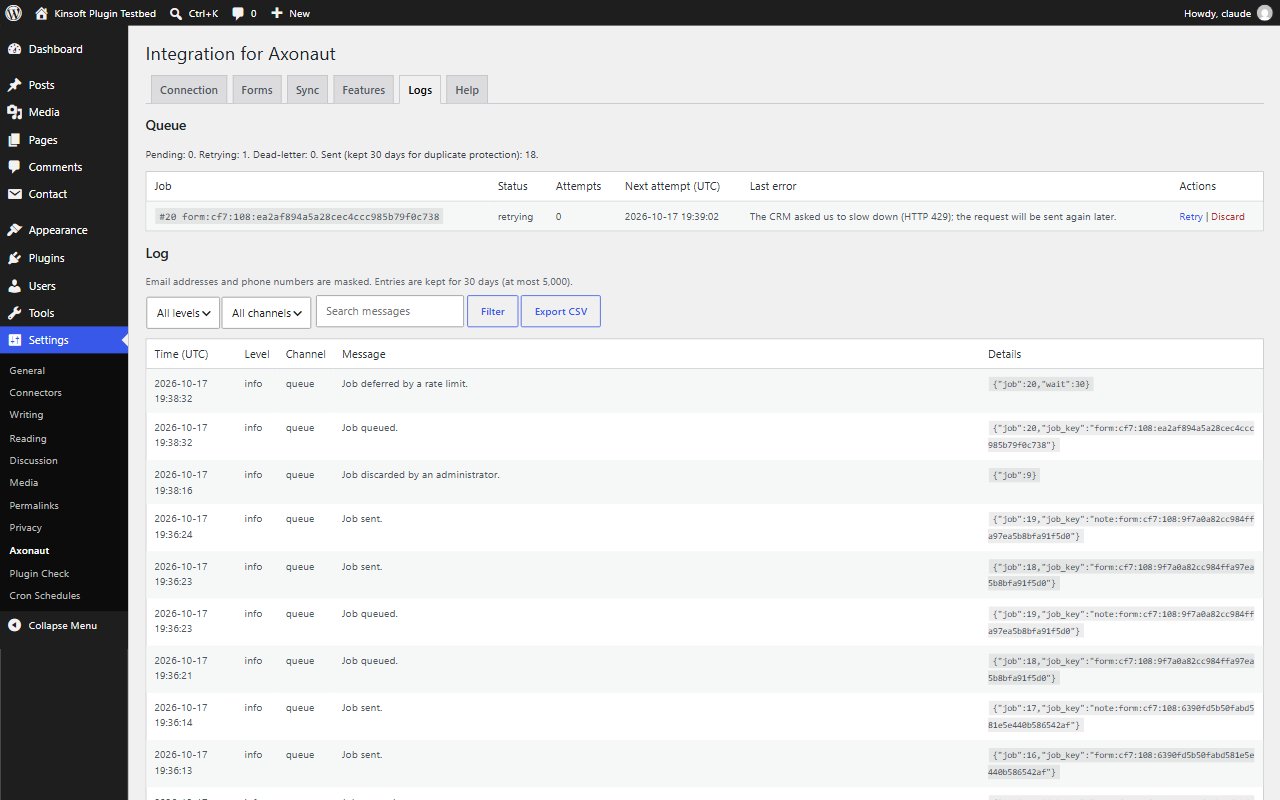
Every enquiry on your website becomes a prospect in Axonaut, with its contact person, filed in the right categories and handed to the right salesperson. People already in Axonaut are recognised by their email address, so nobody is created twice, and the whole message is saved as a note on the company. Your team picks up the enquiry where it already works on quotes and invoices. Submissions are delivered in the background and retried automatically if Axonaut is briefly unavailable. The settings pages are fully translated into French. This plugin is not affiliated with or endorsed by Axonaut.
Free
$0 forever
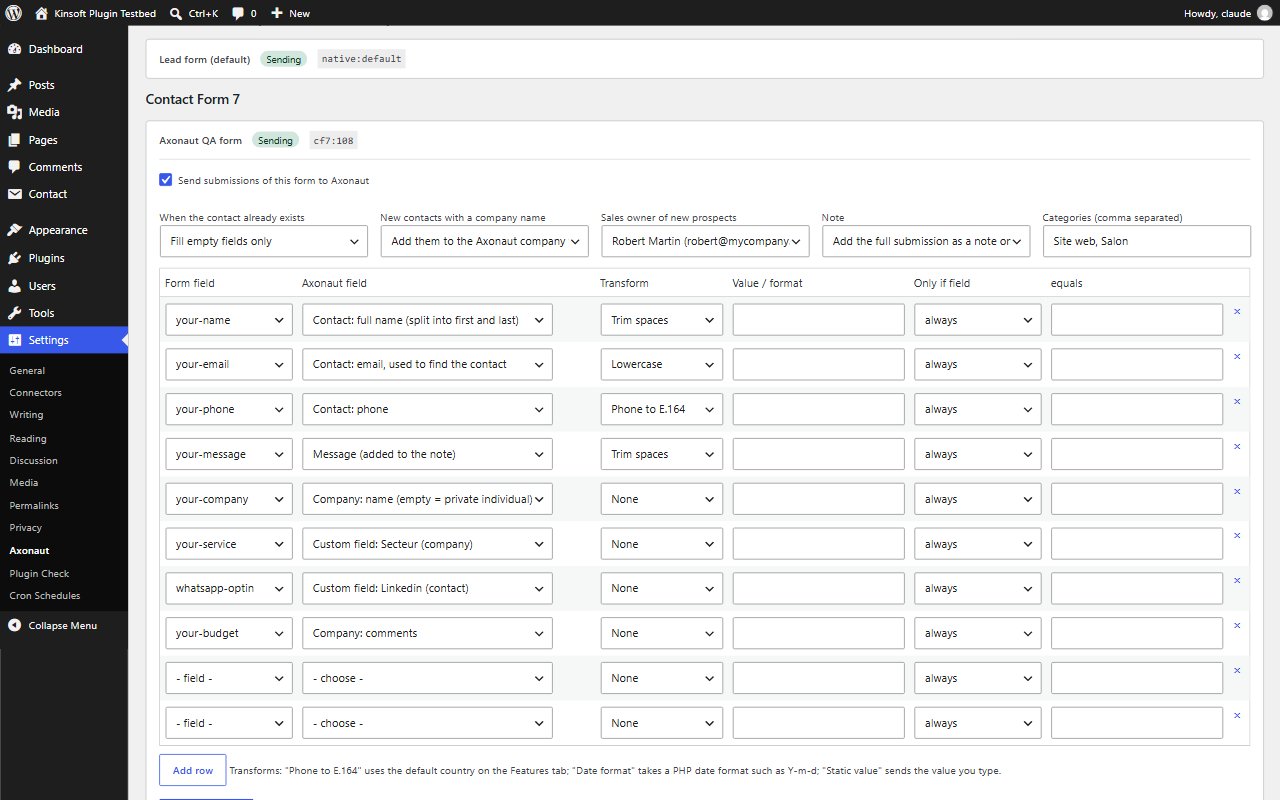
- Works with Contact Form 7, WPForms, Gravity Forms, Fluent Forms, Ninja Forms, Formidable Forms, Elementor Pro Forms, Forminator and FormForge, each with its own switch and field mapping
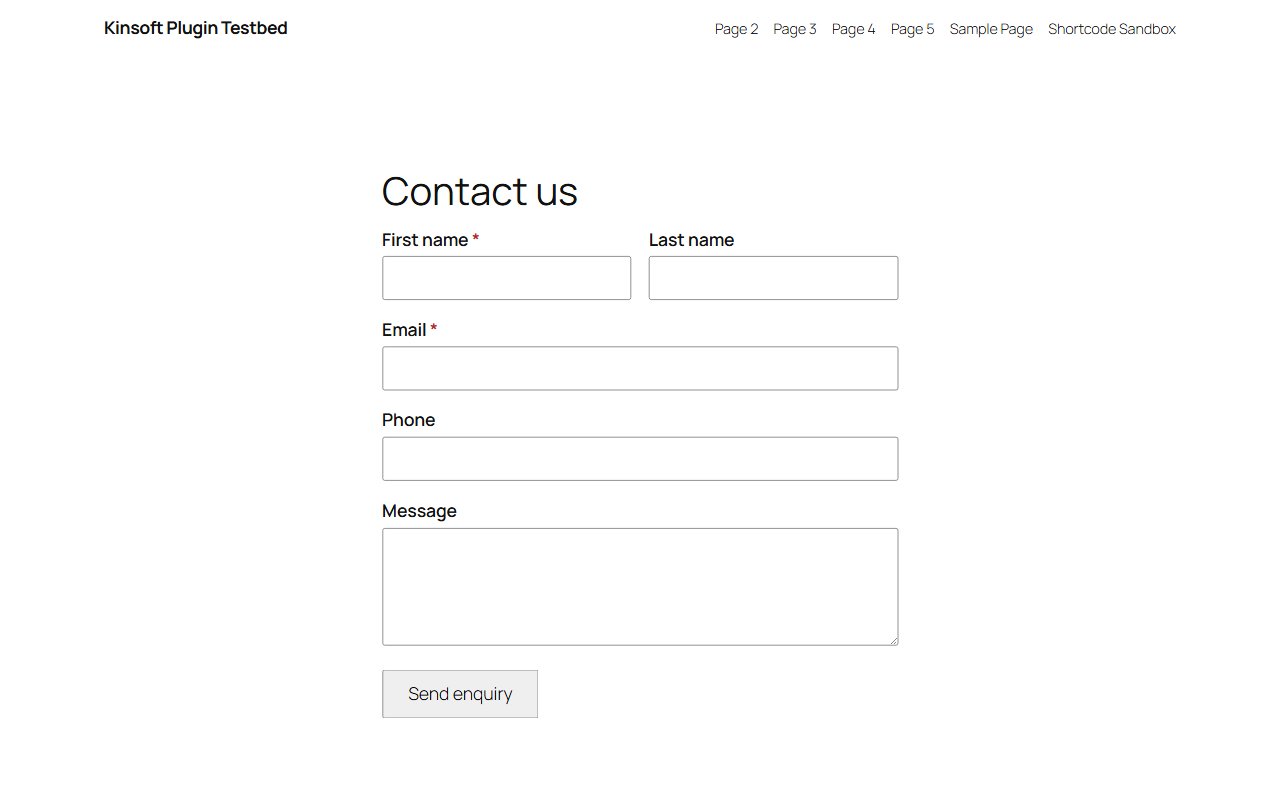
- Built-in form block and shortcode with spam protection; works without JavaScript
- No duplicates: contacts found by email are updated, otherwise a new prospect company is created with its contact
- Businesses joined to the Axonaut company of the same name, and private individuals when no company is given
- You decide what changes for existing contacts: fill empty fields only, overwrite them, or just add the note and categories
- Company categories per form or from a form field, created for you when missing, and a sales owner per form
- Map to name, email, phone, mobile, job title, title, company, address, SIRET and EU VAT numbers, comments and your custom fields
- The whole enquiry, page, referring site and campaign saved as a note; password and card fields never copied
- Optional sync of new WordPress users (by role) and WooCommerce customers, with profile changes kept up to date
- Background queue with retries and one-click resend, masked log with CSV export, encrypted API key
- Admin screens in French
Axonaut Pro
$49 per year, single site
Everything in Free, plus:
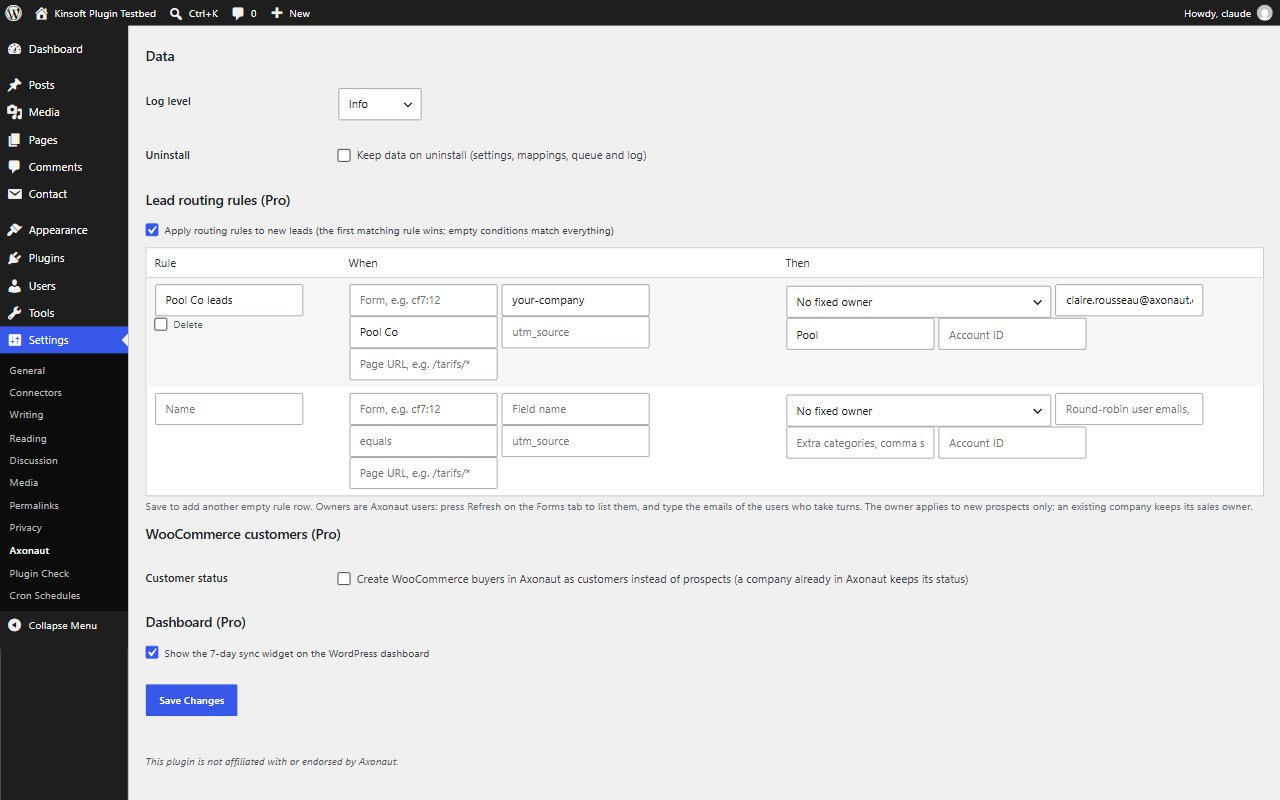
- Routing rules by form, page, campaign or answer for the salesperson, with round-robin owners and extra categories
- WooCommerce buyers created as customers instead of prospects
- More Axonaut accounts, historic entries backfill, mapping import and export
Screenshots
Pro pricing
One licence covers updates and support for a year. Pick the number of sites you run it on.
Checkout and licensing run on Freemius, our merchant of record. 14-day money-back guarantee. Prices in USD; any applicable tax is shown at checkout.
Requirements
WordPress 6.4 or newer (tested up to 7.1), PHP 7.4 or newer. Works with the block editor and the classic editor.
Installation
- Download the free version or start the Pro trial above. Freemius emails you the zip and, for Pro, your licence key.
- In WordPress go to Plugins → Add New → Upload Plugin, choose the zip and activate it.
- Pro: paste the licence key when the plugin asks for it, or later under the plugin's Account screen.
Stuck? Open a support ticket and include your WordPress and PHP versions.